
On Mobile (iOS & Android)
- Open any chat.
- Tap the text message field.
- Start writing your message.
- Tap the “Aa” icon (on iOS), or the “Tt” icon (on Android) that appears in the text message field to see all the options:
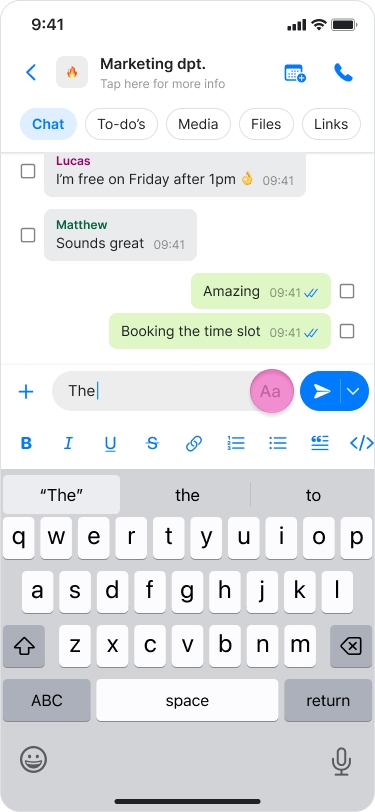
- To bold text, tap the “B” icon.
- To italicize text, tap the “I” icon.
- To underline text, tap the “U” icon.
- To apply a strikethrough, tap the “S” icon.
- To attach a link, tap the “link” icon.
- To create a numbered or bulleted list, select the corresponding list icons.
- To format a quote, tap the quote icon.
- To enter code text or a code block, tap the “code” icons.
- For Bold text: place an asterisk (*) before and after the words you want to highlight.
- For strikethrough text: place a tilde (~) before and after your text.
- You can apply these formatting styles to captions when sending photos.
- You can select specific words within the text to adjust the formatting.
- Starting a sentence with a number will automatically convert the text into a numbered list.
- You can add a hyperlink to specific words rather than the entire sentence.
On Desktop (macOS)
- Open any chat.
- Click the text message field.
- Start typing your message.
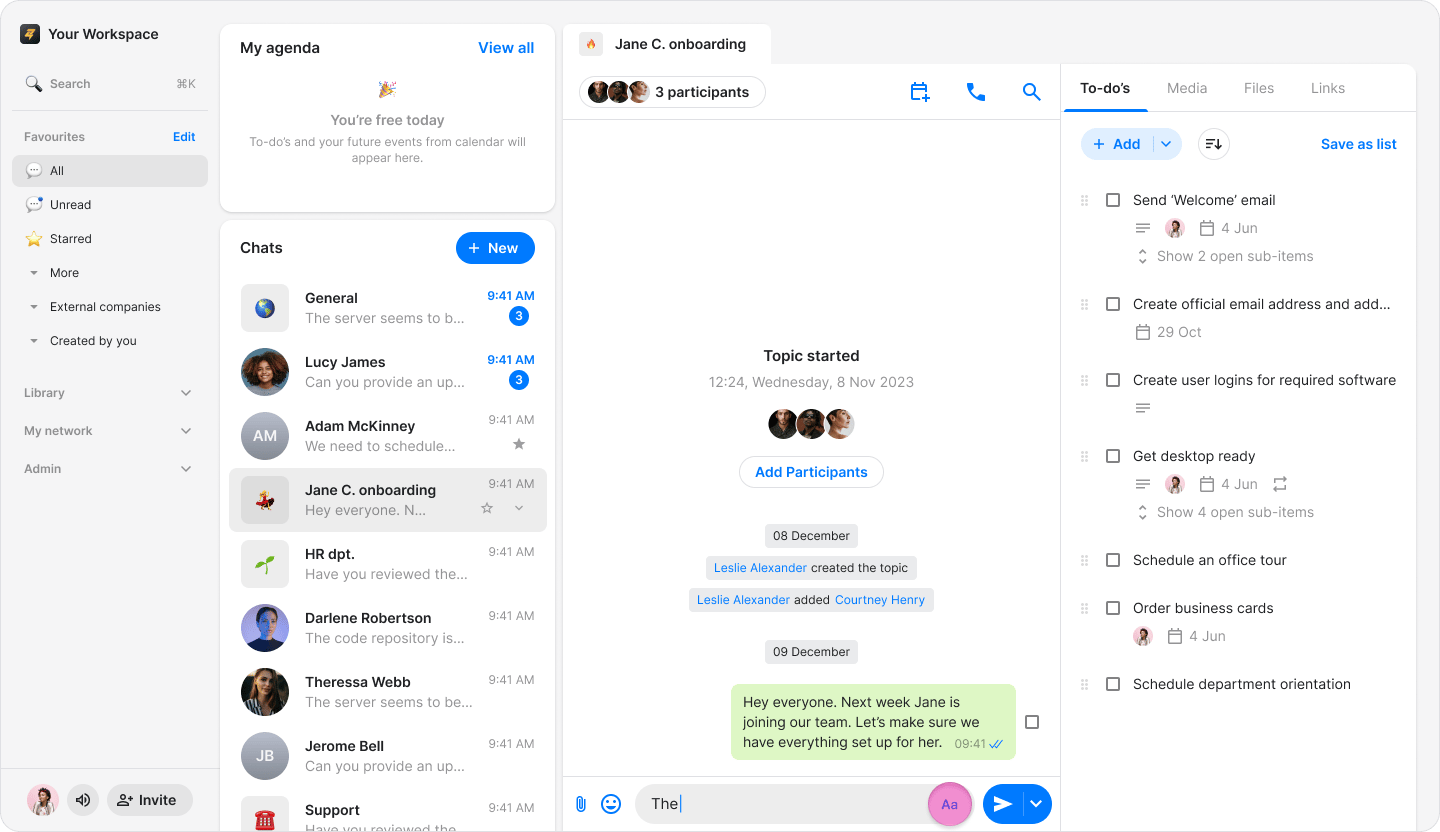
- Click the “Aa” icon that appears in the text message field to see all the options:
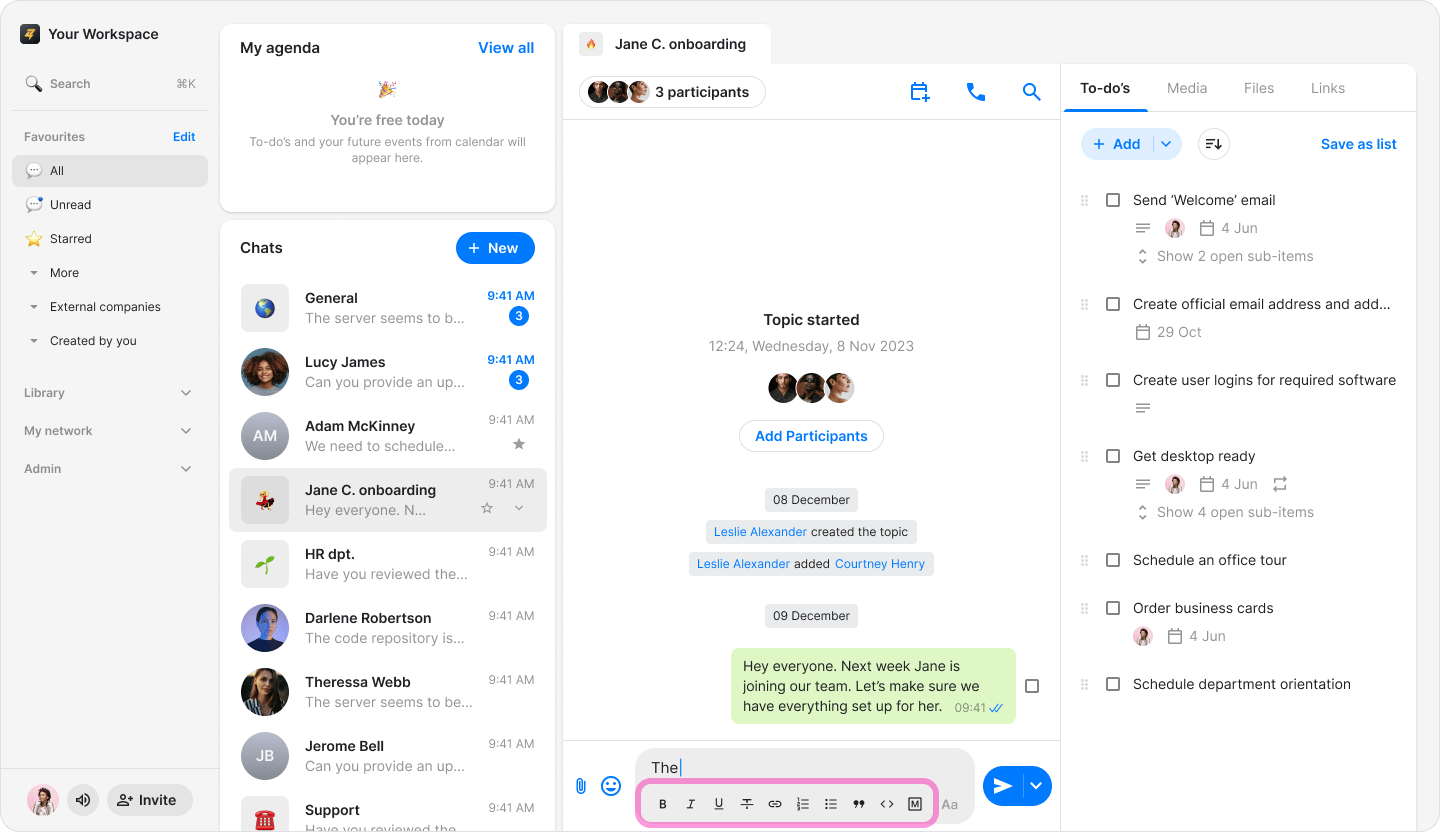
- To bold text, tap the “B” icon.
- To italicize text, tap the “I” icon.
- To underline text, tap the “U” icon.
- To apply a strikethrough, tap the “S” icon.
- To attach a link, tap the “link” icon.
- To create a numbered or bulleted list, select the corresponding list icons.
- To format a quote, tap the quote icon.
- To enter code text or a code block, tap the “code” icons.
- For Bold text: place an asterisk (*) before and after the words you want to highlight.
- For strikethrough text: place a tilde (~) before and after your text.
- You can apply these formatting styles to captions when sending photos.
- You can select specific words within the text to adjust the formatting.
- Starting a sentence with a number will automatically convert the text into a numbered list.
- You can add a hyperlink to specific words rather than the entire sentence.