On Mobile (iOS)
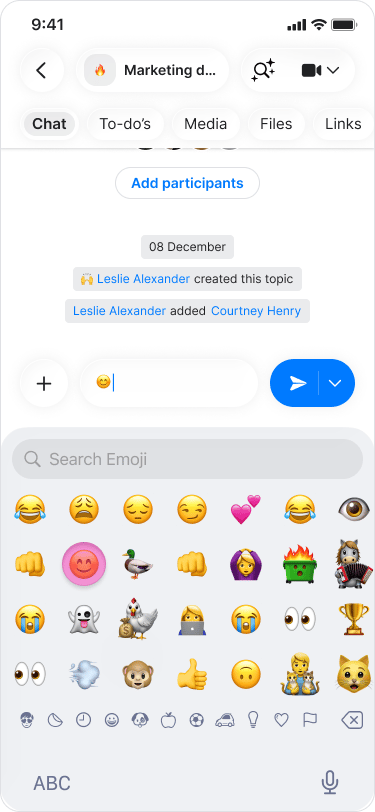
- Open a chat.
- Tap the text box.

- Tap the “Emoji” icon (smiley face) on the bottom left of your keyboard.

- Choose your emojis and send them with text or alone.
On Mobile (Android)
- Open a chat.
- Tap on the “Emoji” icon (smiley face) on the left side of the text box.

- Choose your emojis and send them with text or alone.

On Desktop (Windows, macOS, & Web App)
- Open a chat.
- Click on the “Emoji” icon (smiley face) on the left side of the text box.

- Choose your emojis and send them with text or alone.