Access: Depends on your Admin’s settings.

On Mobile (iOS & Android)

Use the Zenzap mobile app to send manual invitations via email or SMS directly to team members.
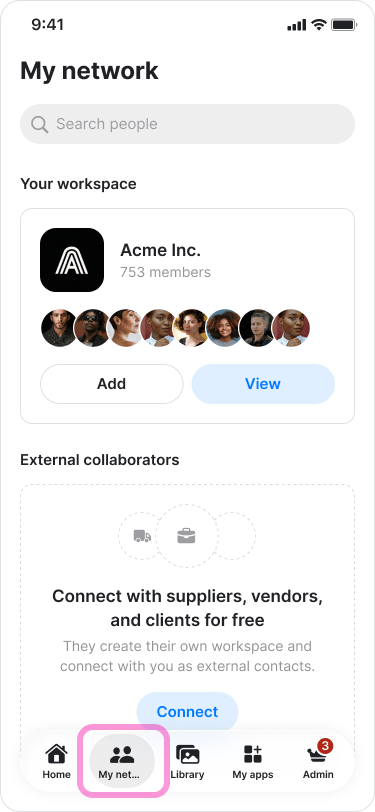
  1. Go to the “My network” tab on the bottom menu. Manually Inviting Team Members screenshot 1
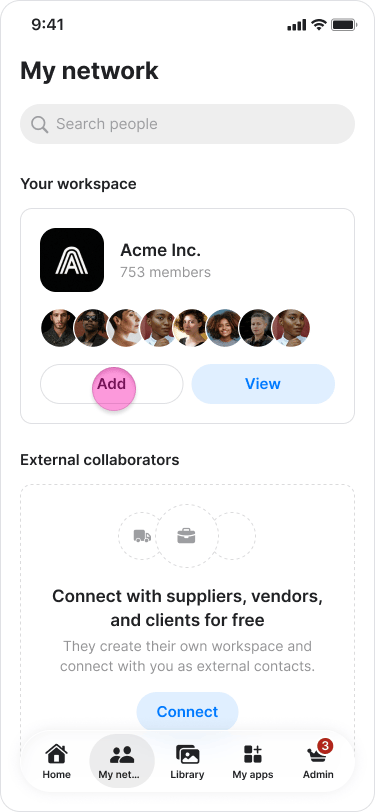
  2. Under your “Workspace’s name” tap “Add”. Manually Inviting Team Members screenshot 2
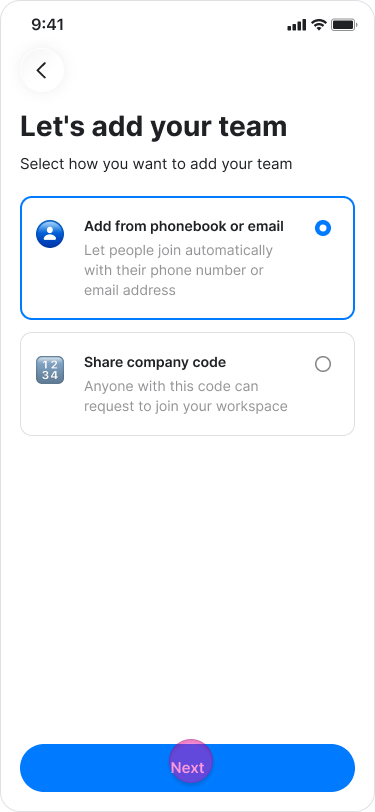
  3. Choose “ Add from contacts or by email”. Manually Inviting Team Members screenshot 3
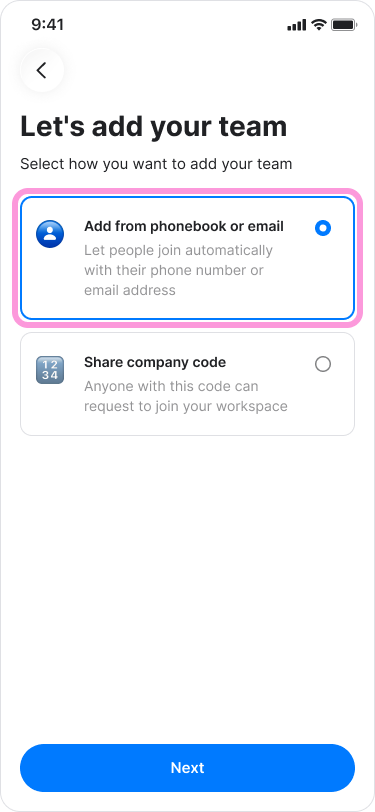
  4. Tap “Next”. Manually Inviting Team Members screenshot 4
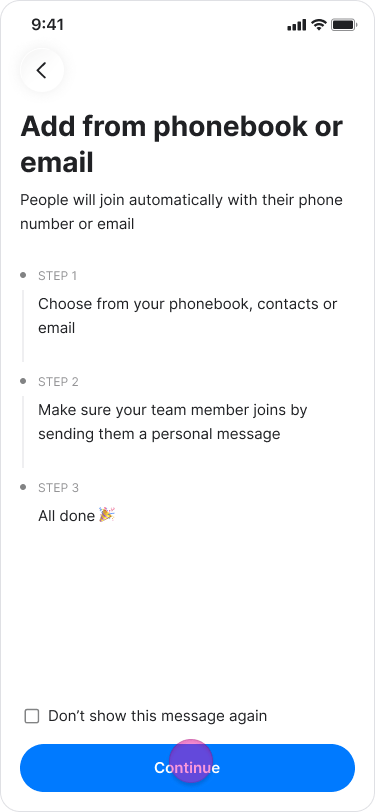
  5. Tap “continue” in the pop up message. Manually Inviting Team Members screenshot 5
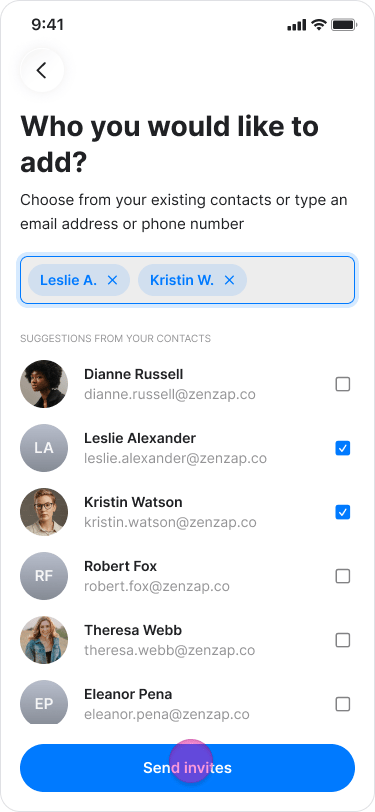
  6. Enter their email address or select their contact from the list, and tap “Next”. Manually Inviting Team Members screenshot 6
  7. Share the invite link and tap “done”.(this step is optional) Manually Inviting Team Members screenshot 7
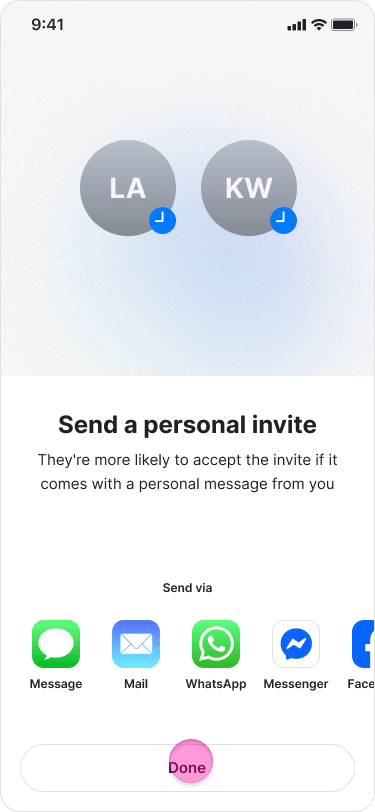
This action sends them an SMS or email with a link to join your team on Zenzap. They will automatically be added to your workspace once they complete onboarding using that email or phone number. Note: For the automatic assignment to work, you must manually add their contact information here; it is not enough to simply copy and share an invite link.

On Desktop (Windows, macOS, & Web App)

Use the Zenzap desktop application to send manual invitations via email.
  1. Click “Invite” at the bottom-left of the screen.
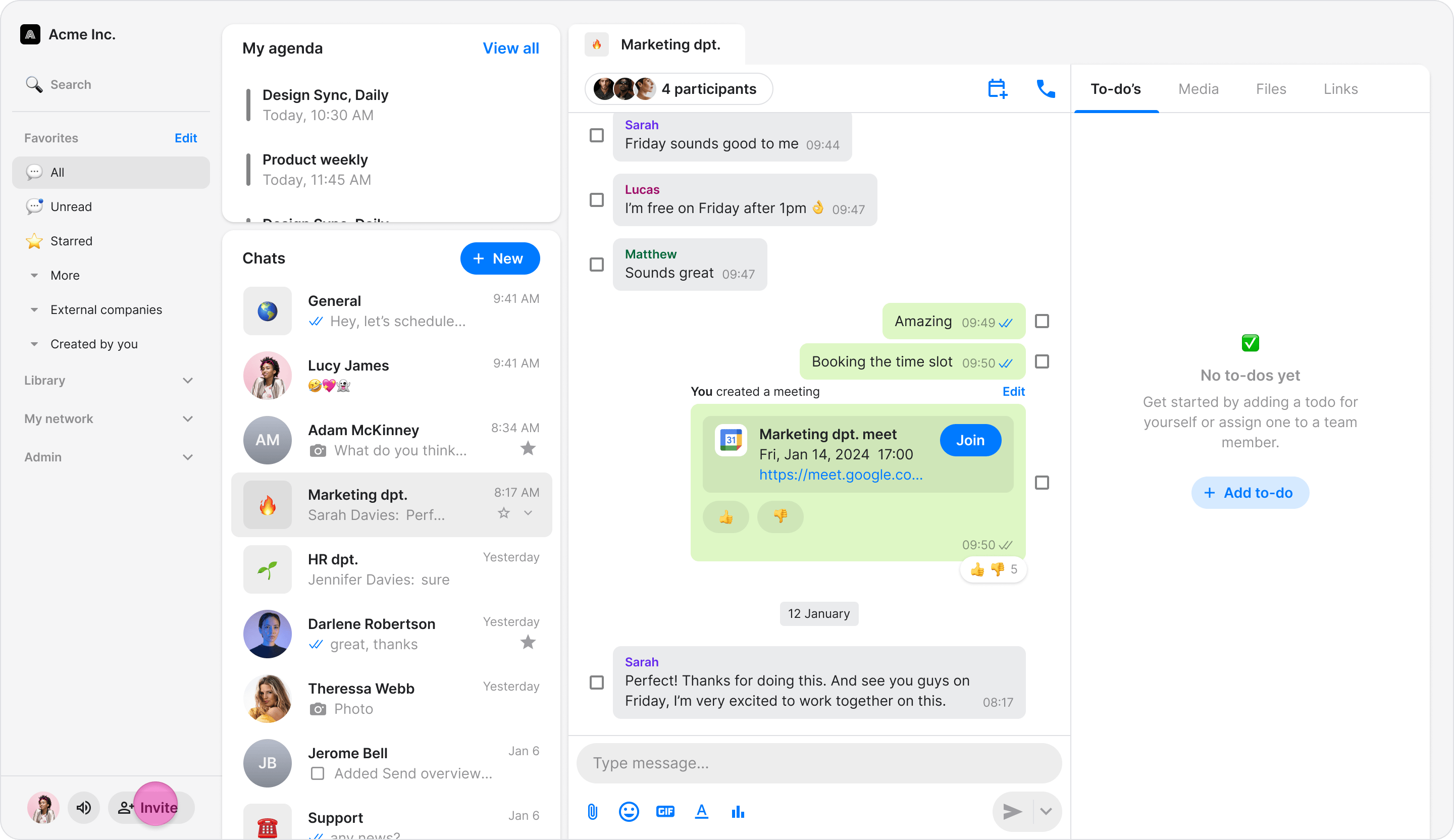
Manually Inviting Team Members screenshot 8
  1. Select “Invite as Teammate” (or your company’s name) from the dropdown menu.
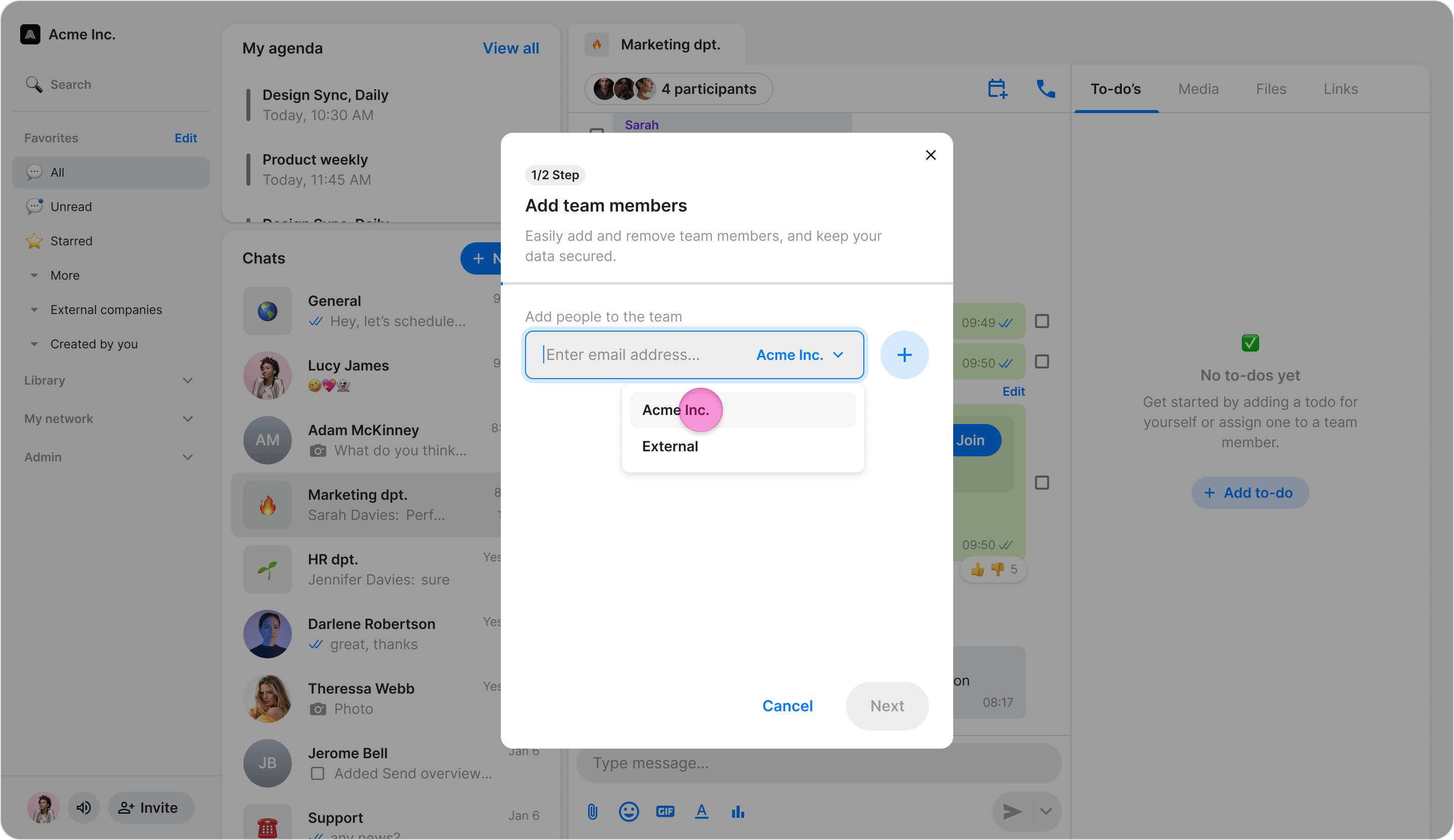
Manually Inviting Team Members screenshot 9
  1. Enter the team member’s email address.
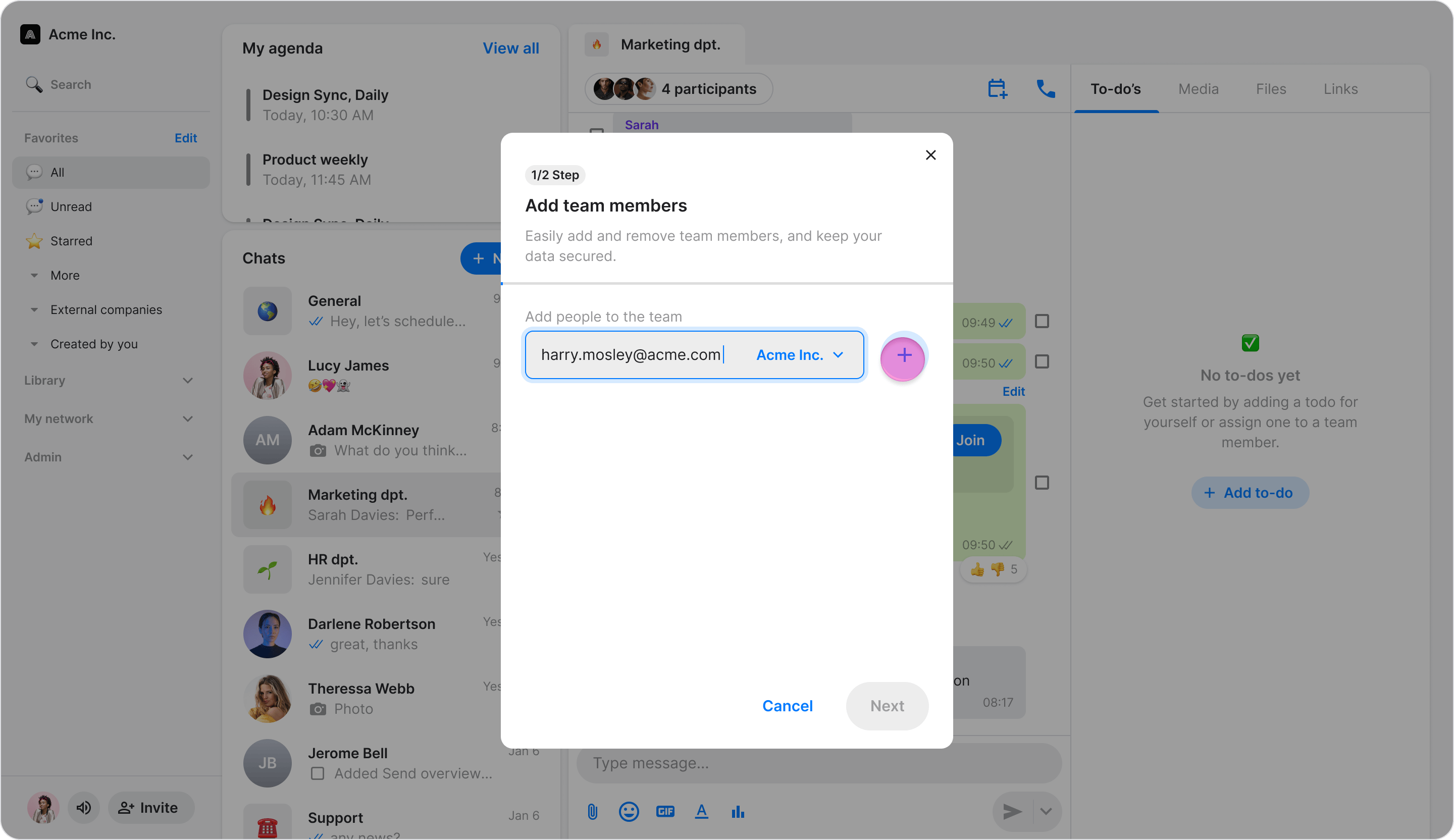
Manually Inviting Team Members screenshot 10
  1. Click “Send” (On Windows, first click ”+” and then “Next”).
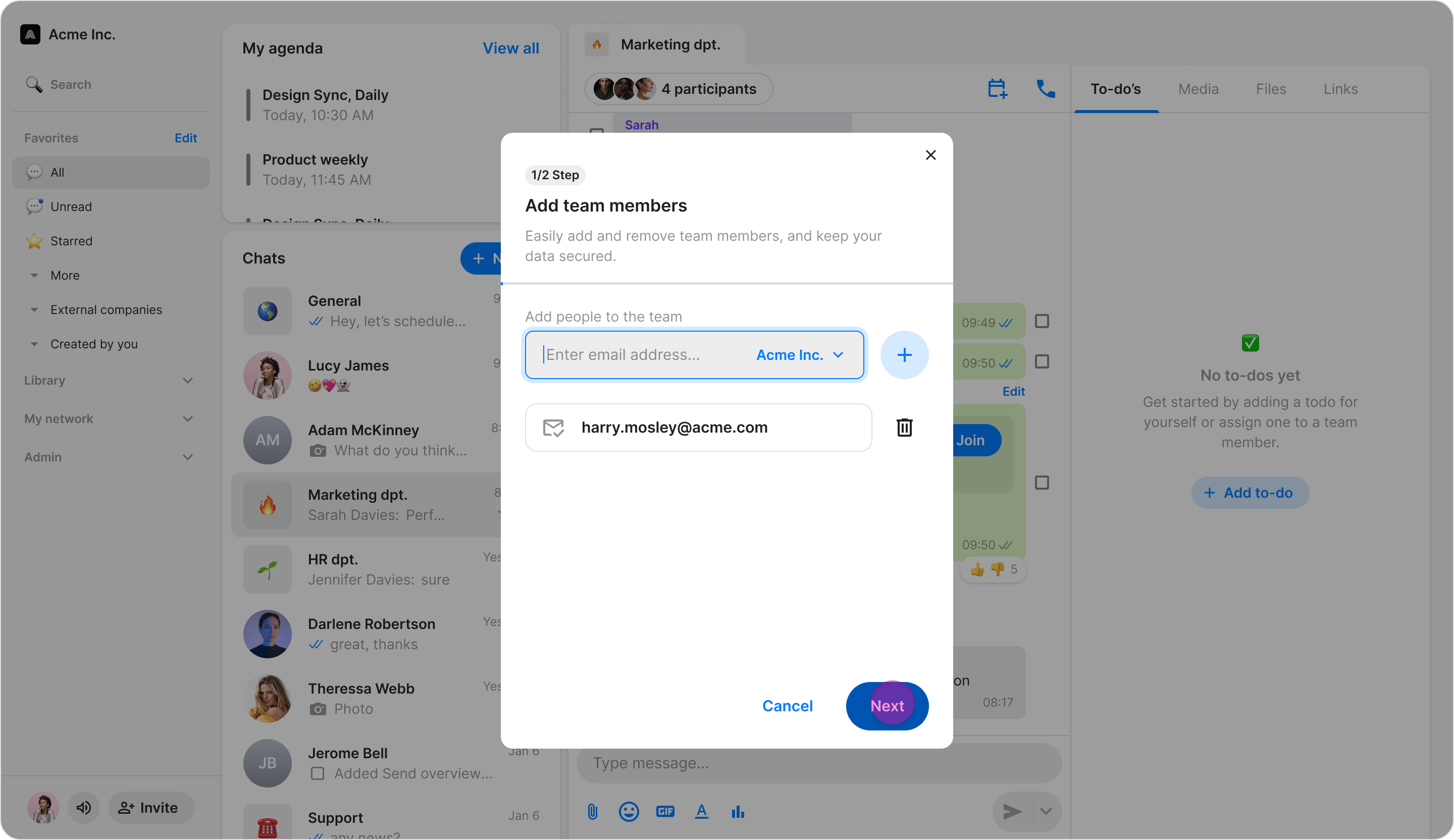
Manually Inviting Team Members screenshot 11 This action sends them an SMS or email with a link to join your team on Zenzap. They will automatically be added to your workspace once they complete onboarding using that email or phone number. Note: For the automatic assignment to work, you must manually add their contact information here; it is not enough to simply copy and share an invite link.