
On Mobile (iOS & Android)
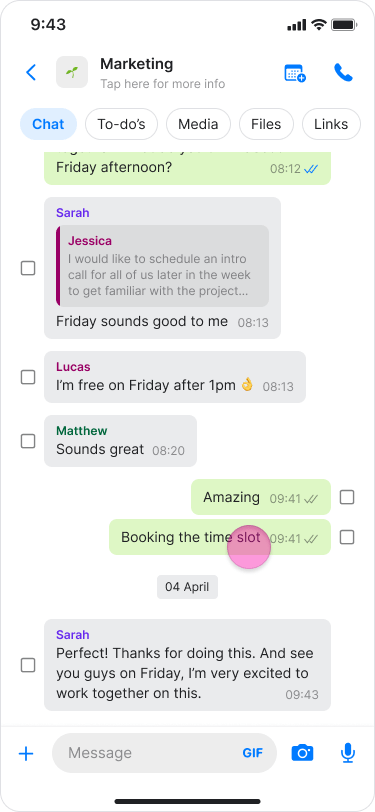
- Long-press the message.
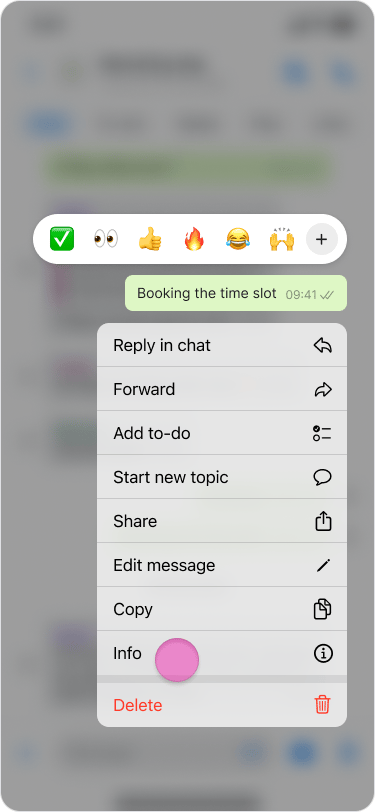
- Tap “Info”.
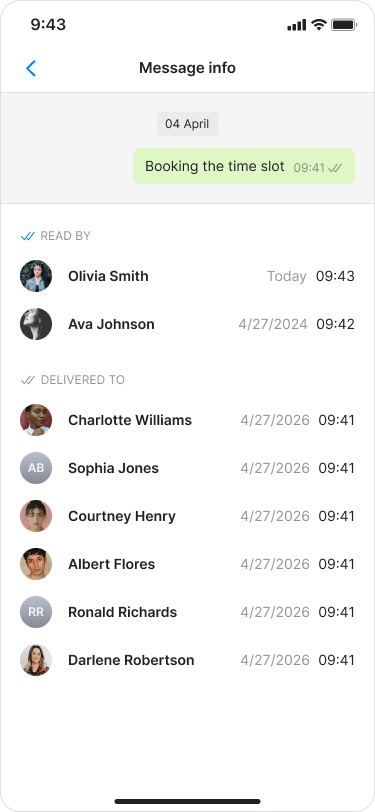
- The message info screen will show:
- “READ BY”: See who has read the message.
- “DELIVERED TO”: See who has received the message.
- For messages containing images or files, you can also view delivery and read status.
- Blue check marks indicate that all participants read the message, while black check marks indicate it was delivered but not yet read.
- If you only see “DELIVERED TO”, no one has read the message yet.
On Desktop (Windows, macOS, & Web App)
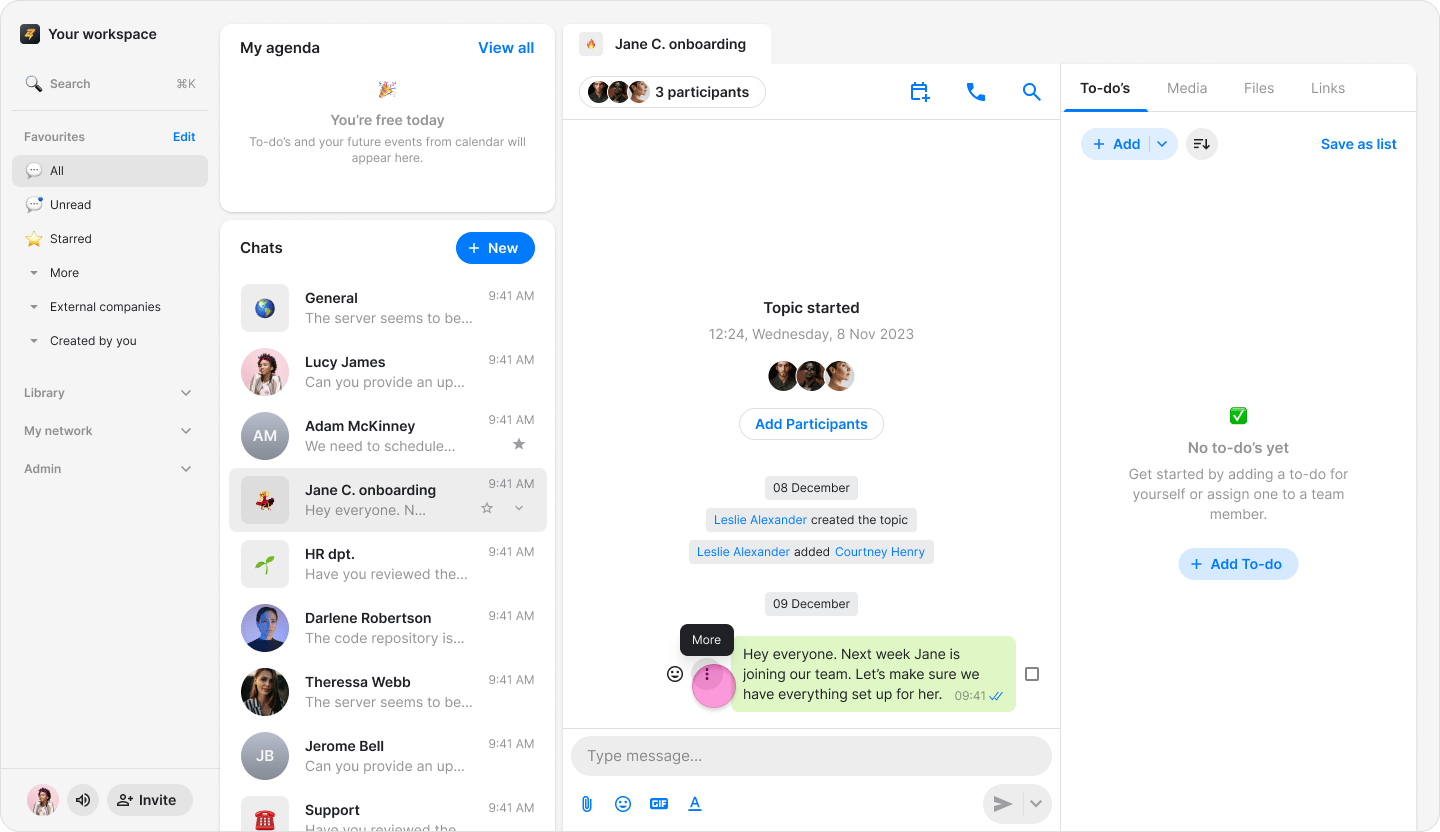
- Hover over the message you want to view.
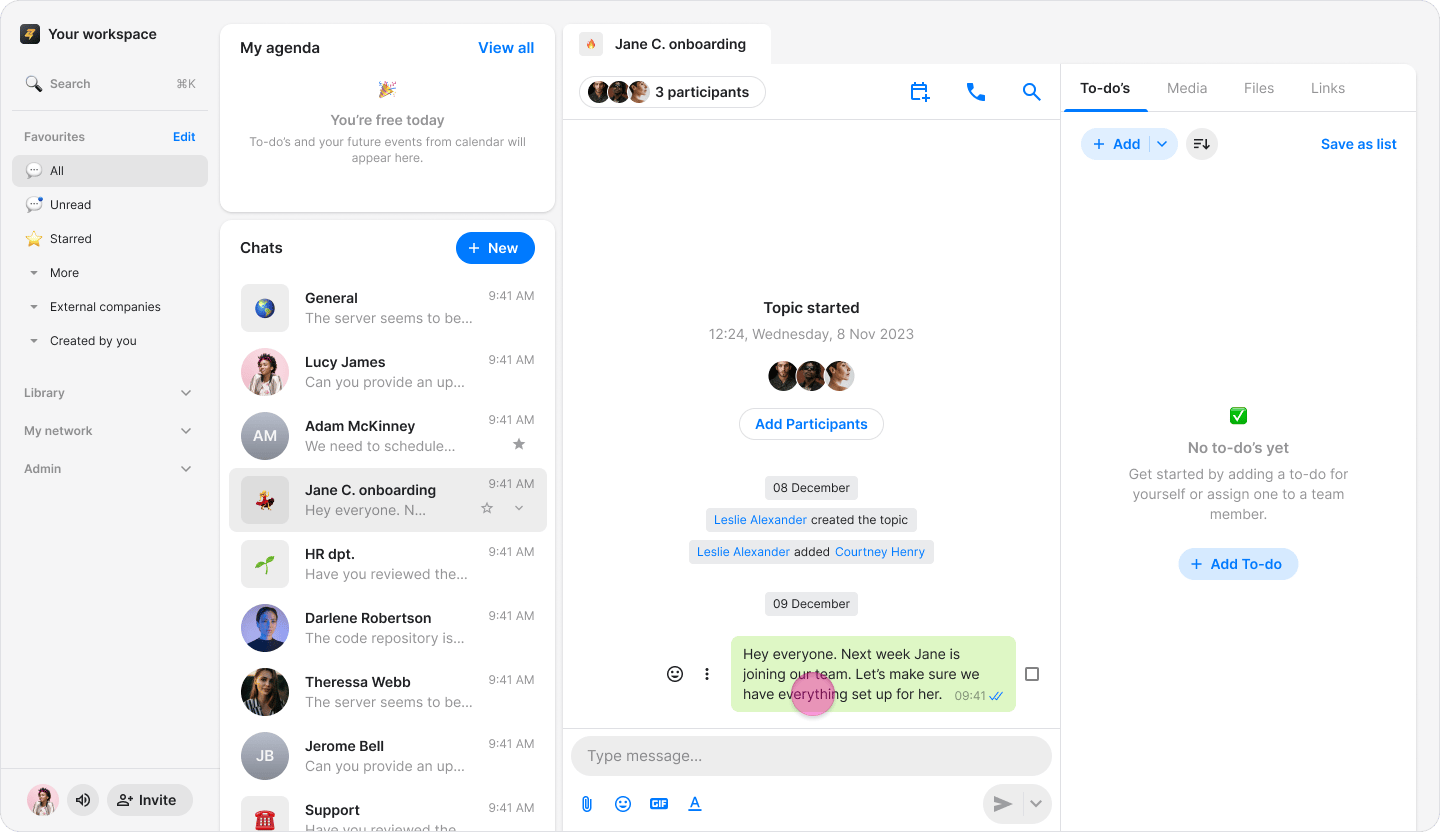
- Click the “Three dots” icon.
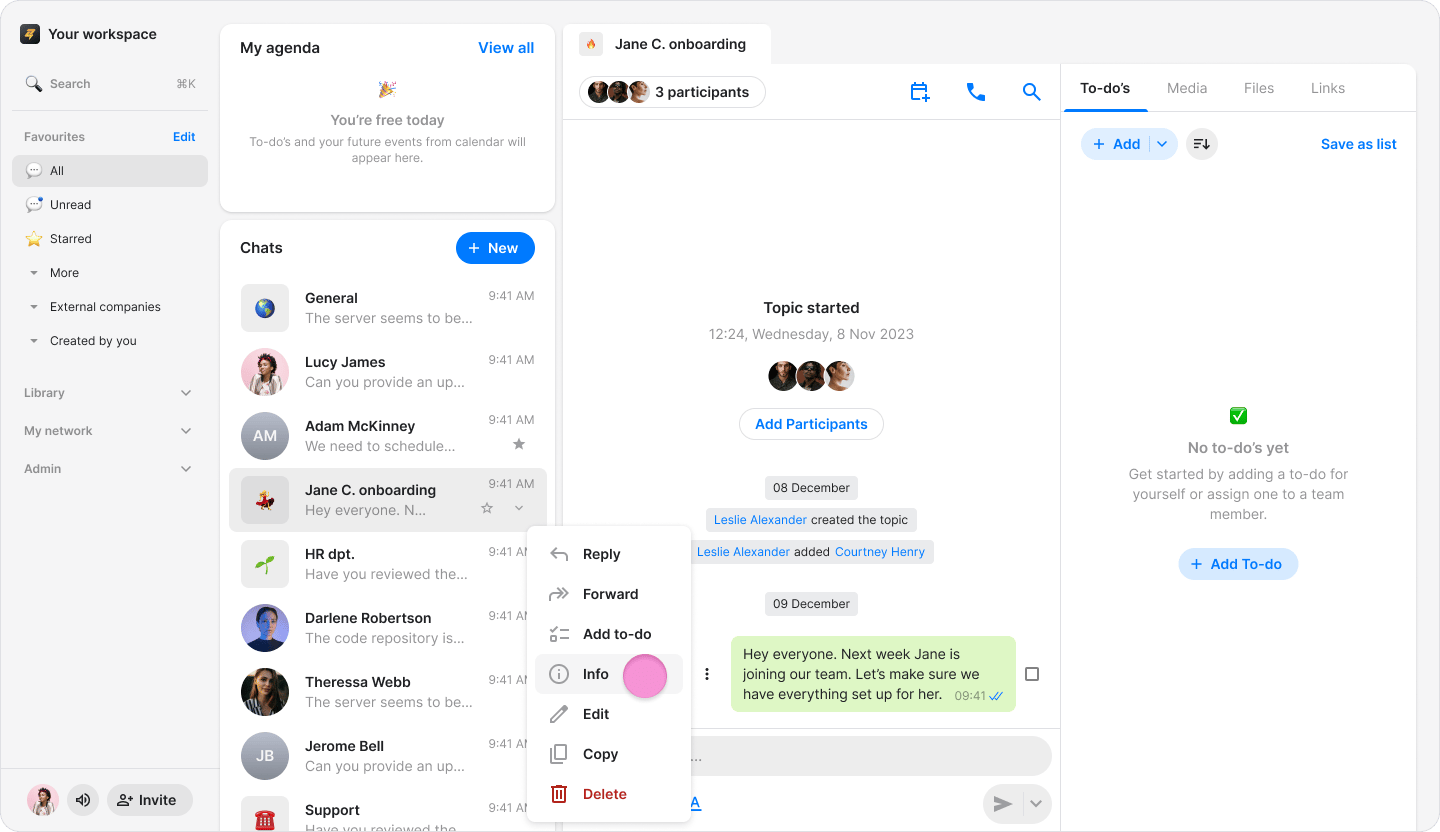
- Select “Info”.
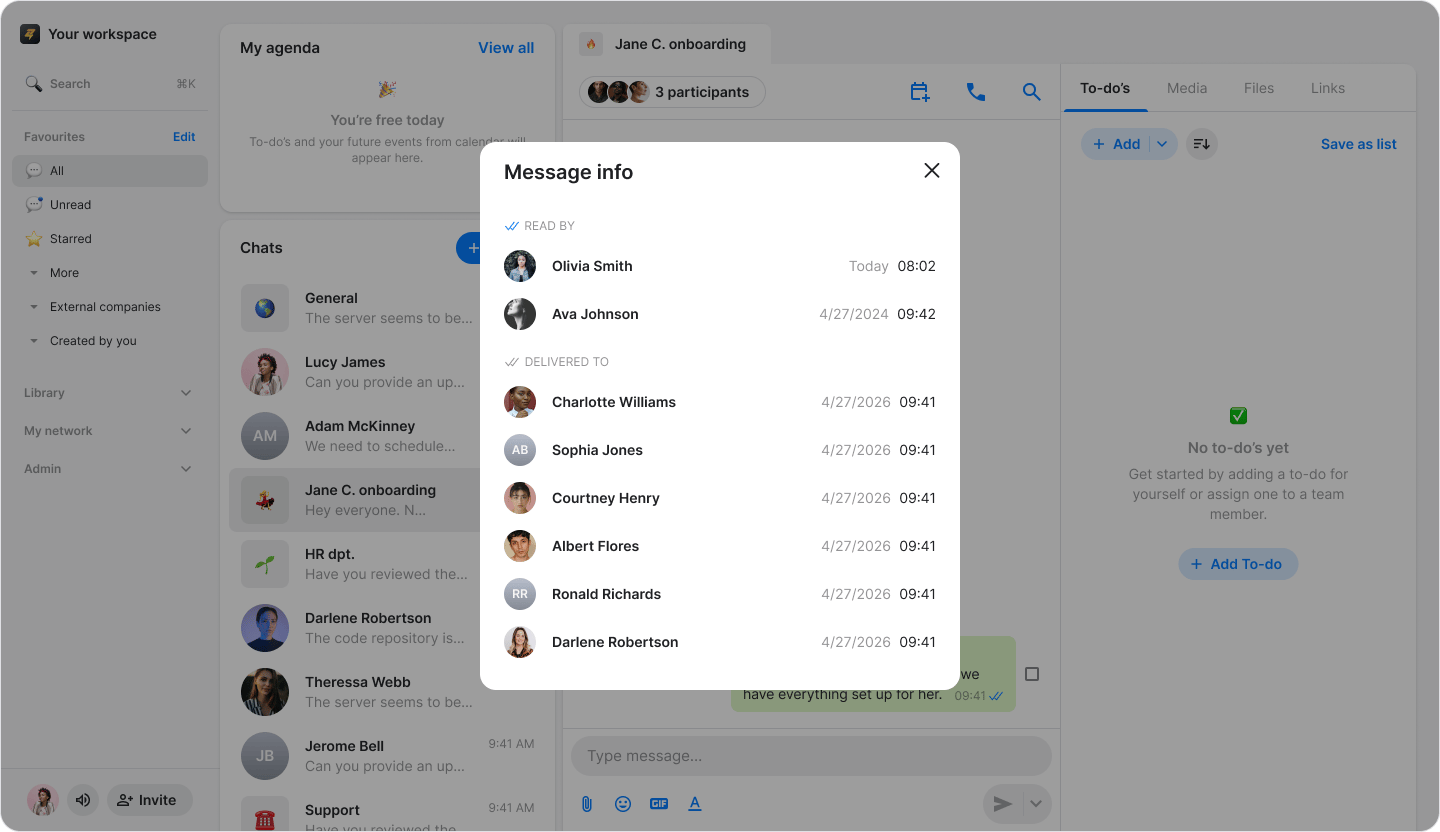
- The message info screen will show:
- “READ BY”: See who has read the message.
- “DELIVERED TO”: See who has read the message.
- For messages containing images or files, you can also view delivery and read status.
- Blue check marks indicate that all participants read the message, while black check marks indicate it was delivered but not yet read.
- If you only view “DELIVERED TO”, no one has read the message yet.