On Mobile (iOS & Android)
-
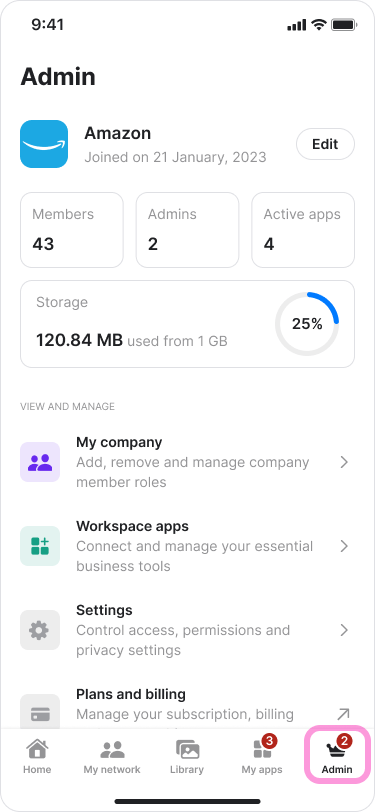
Tap the “Admin” tab.
-
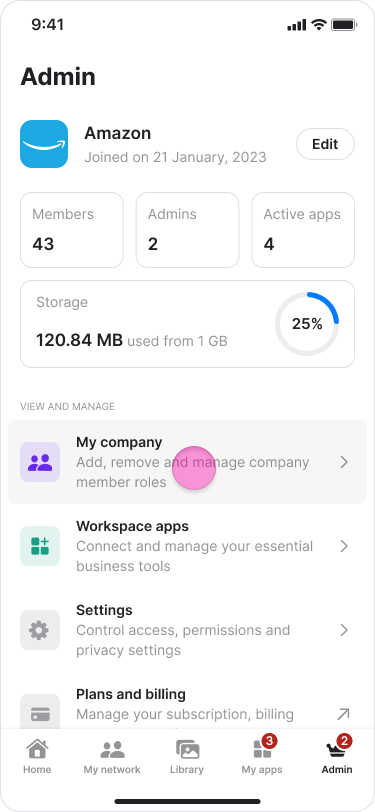
Tap “My Company”.
Note: You will see a badge showing the number of pending requests.
-
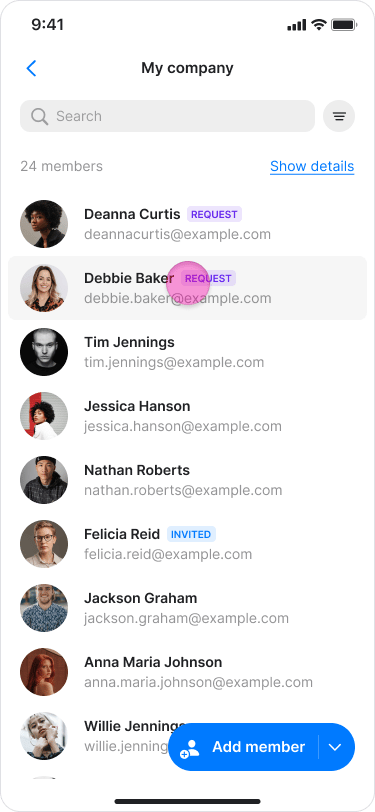
Tap the new member’s name with the “Request” label.
-
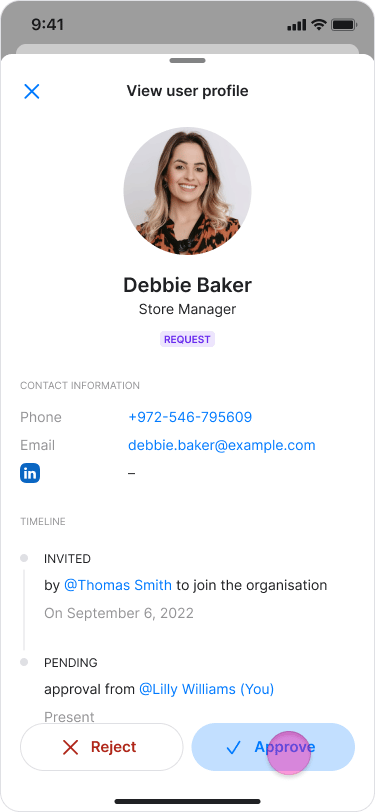
Tap “Approve”.
-
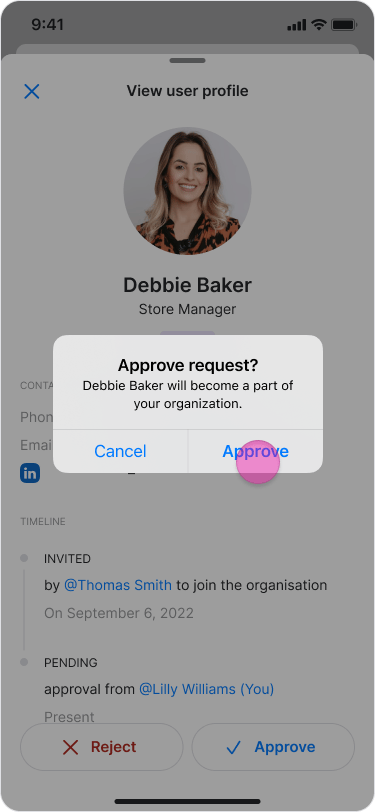
Tap “Approve” again to confirm.
On Desktop (Windows, macOS, & Web App)
-
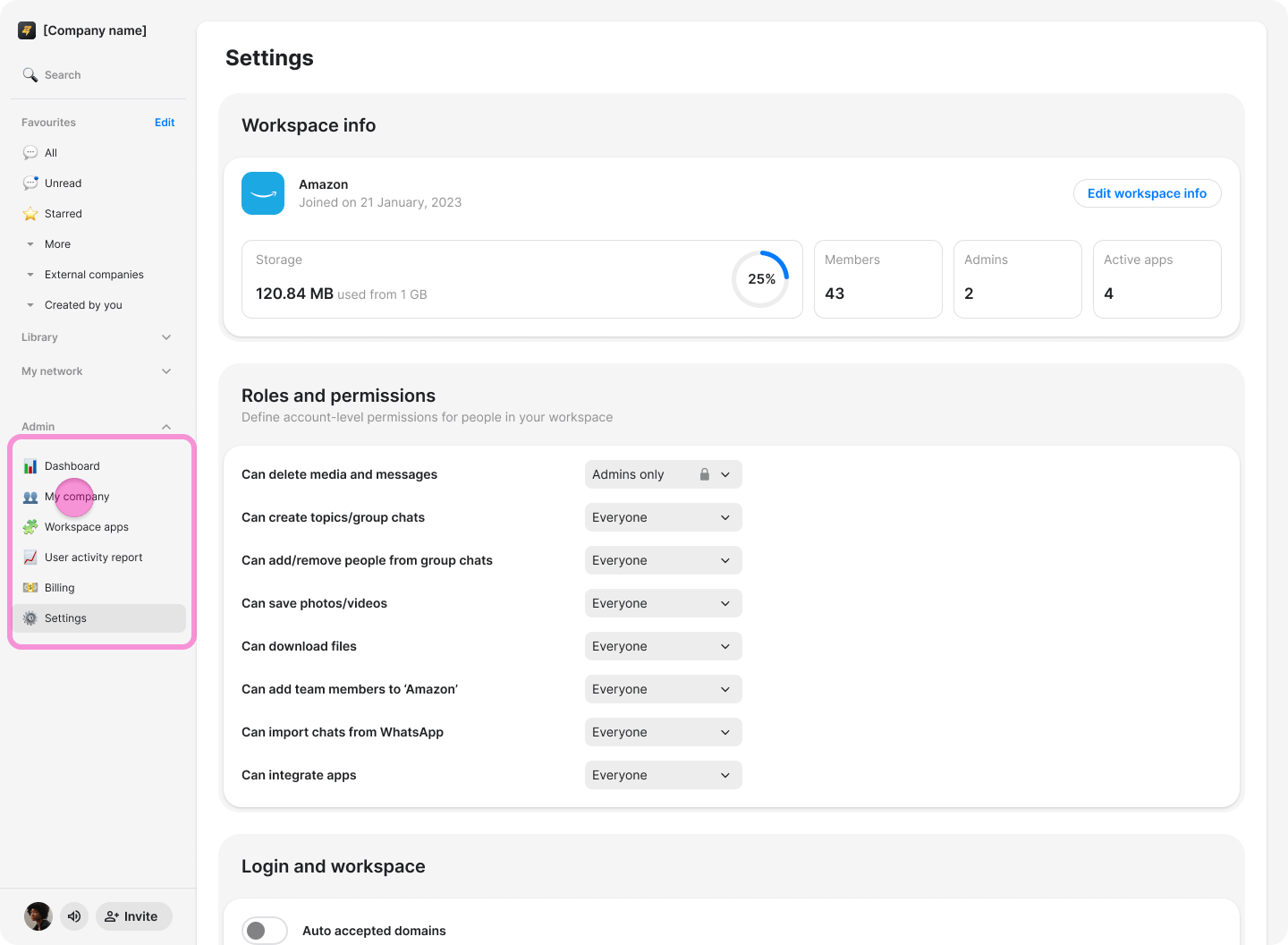
Click “[Workspace Name] Admin” (Windows & Web App) or “My Company” (macOS) in the left-side menu.
-
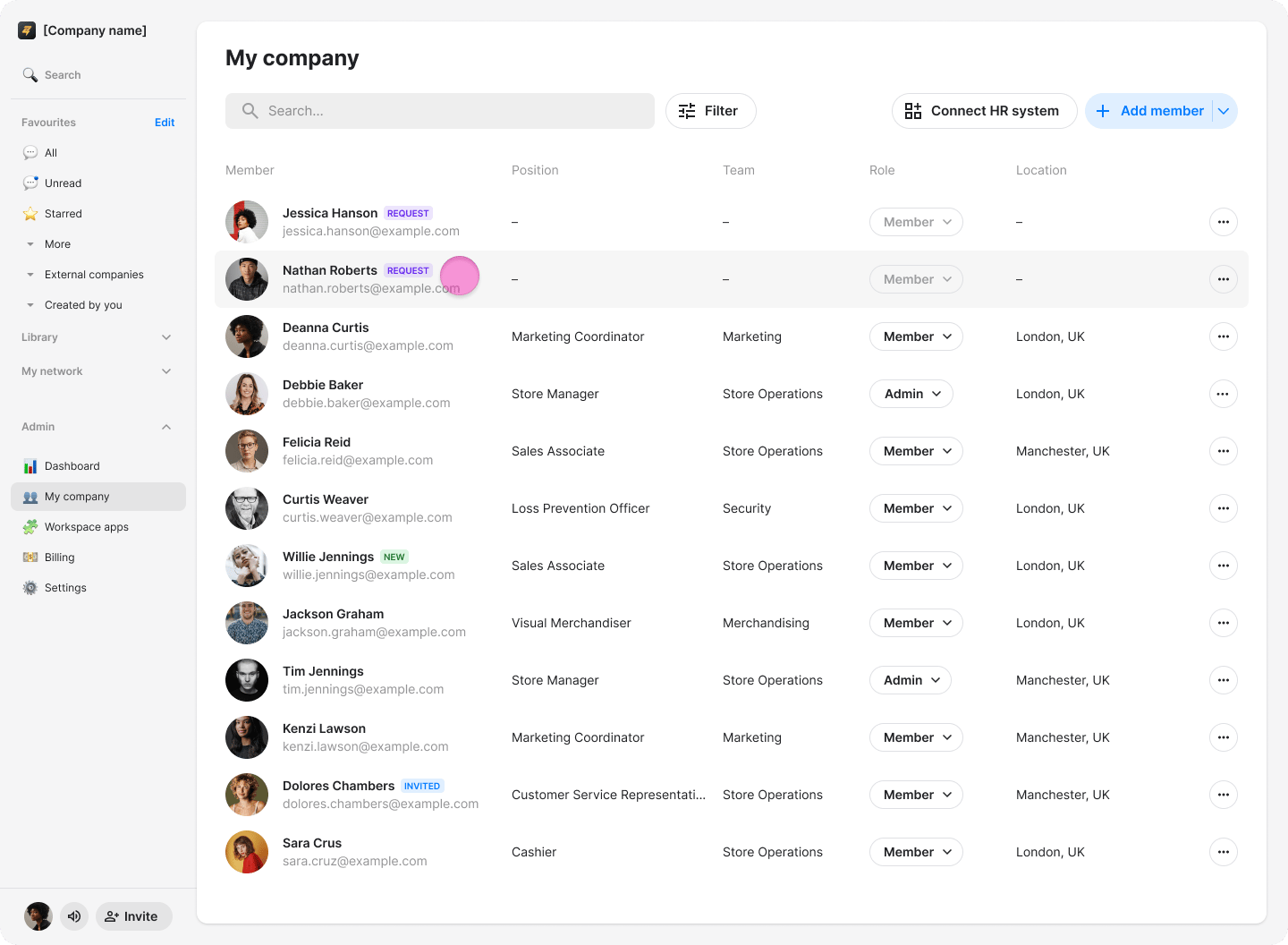
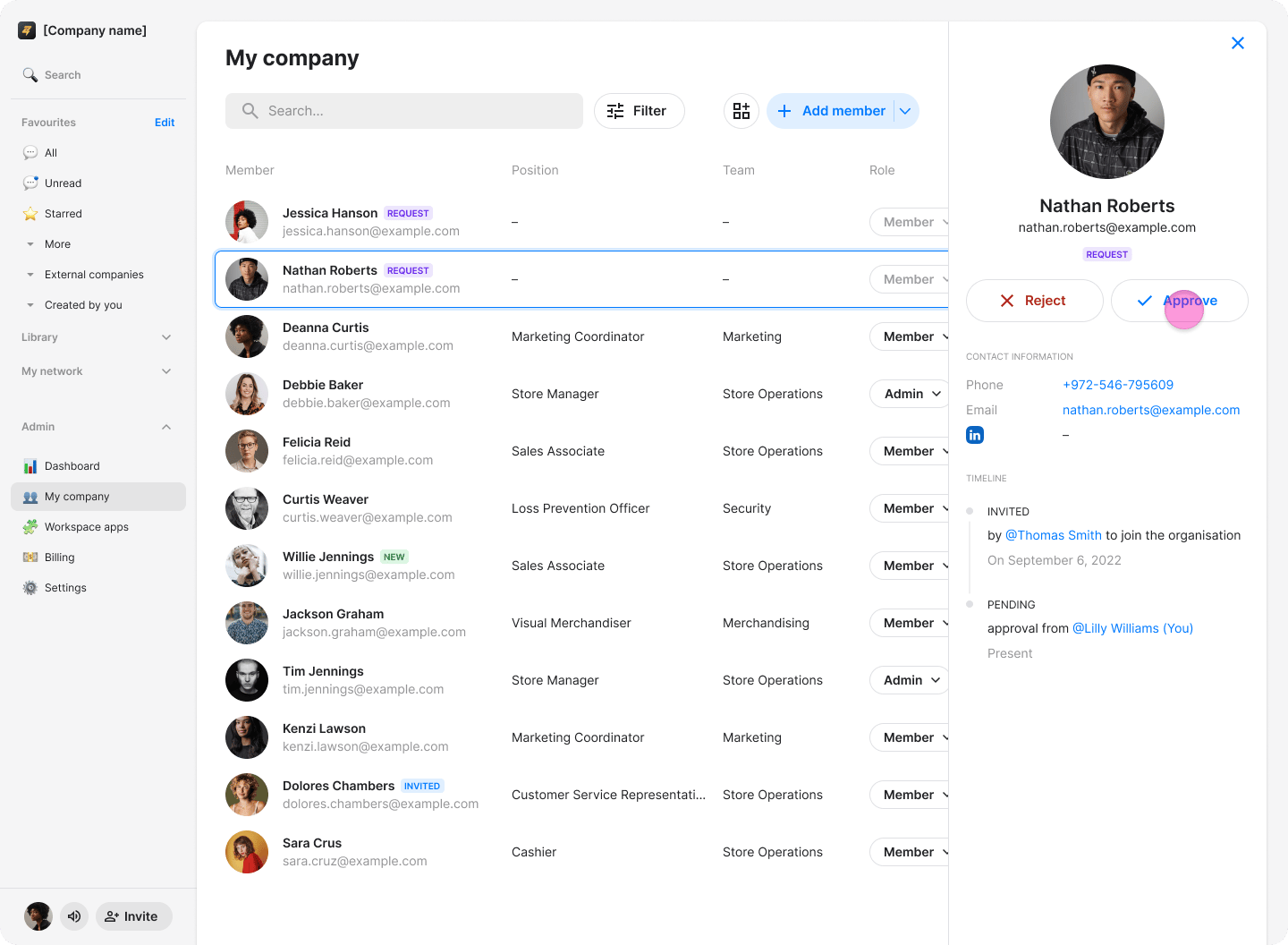
Click the team member you want to approve.
-
Click “Approve” in the panel on the right.
-
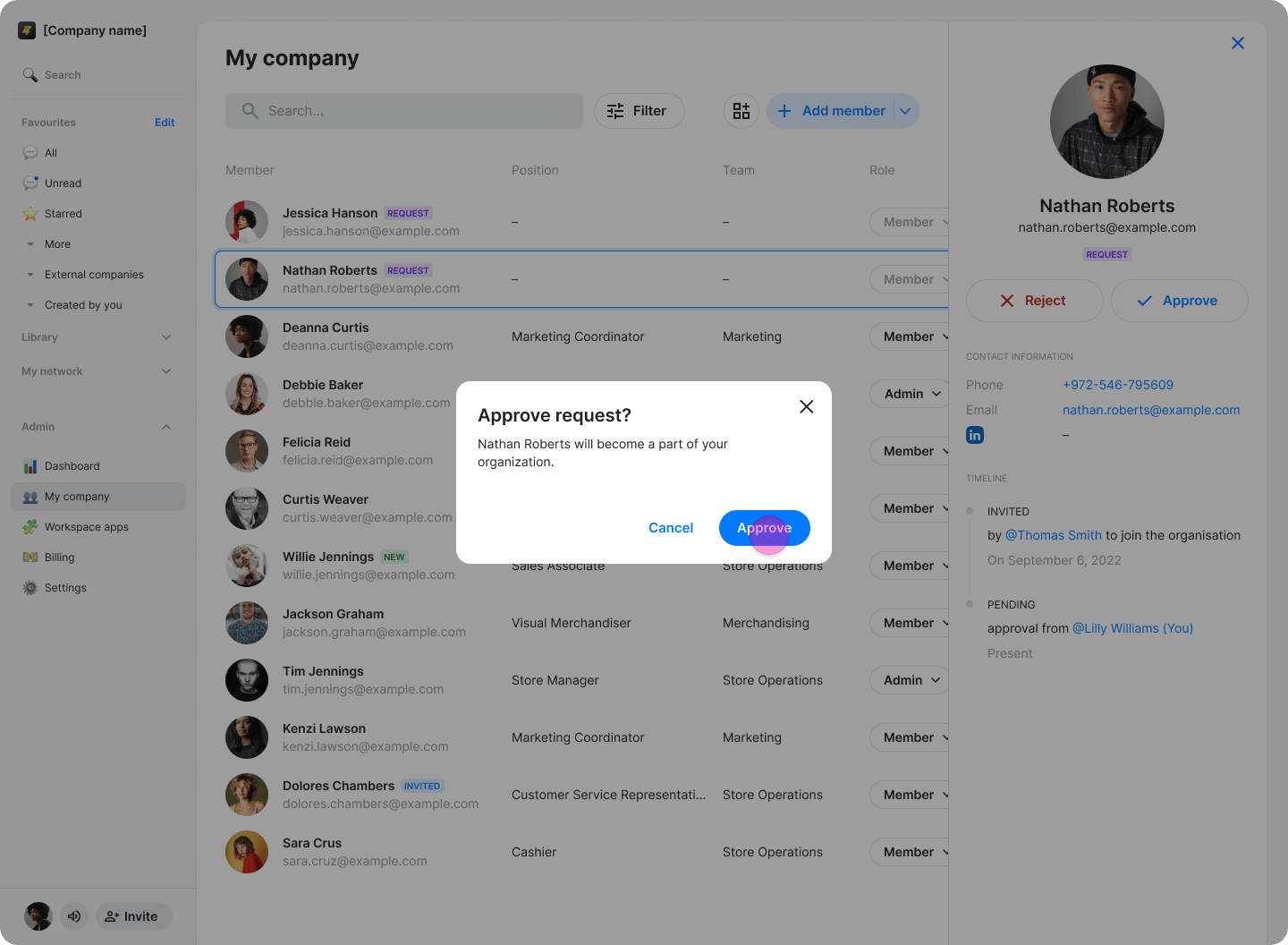
Click “Approve” again to confirm.
-
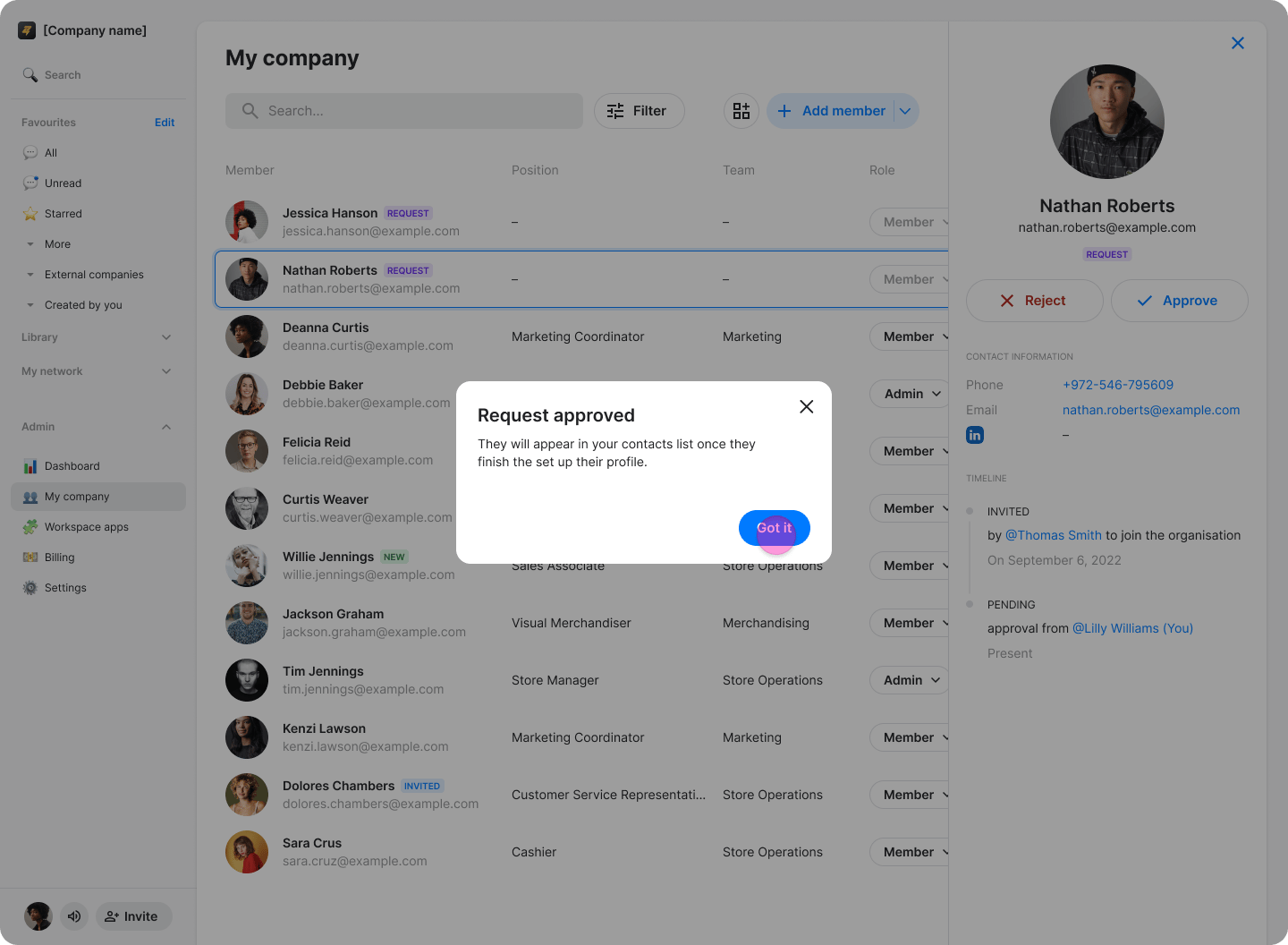
When the “Request Approved” confirmation appears, click “Got it”.