
On Mobile (iOS & Android)
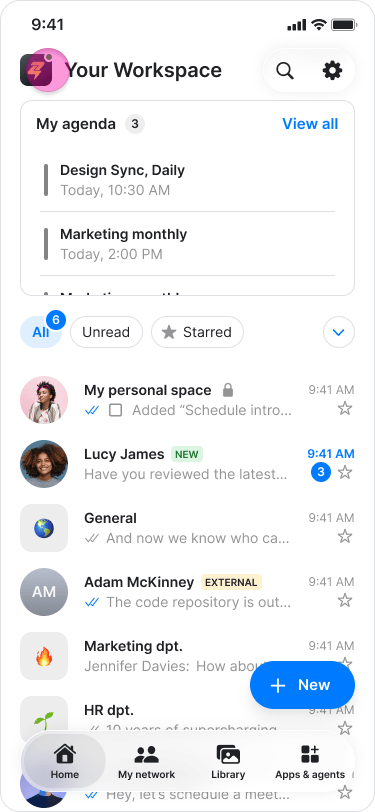
- Tap your workspace logo in the top-left corner of the home screen.
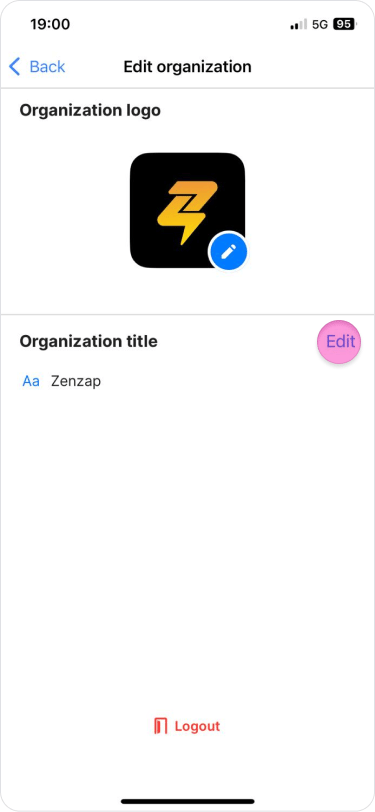
- Tap “Edit” next to your current workspace name.
- Type the new name for your workspace.
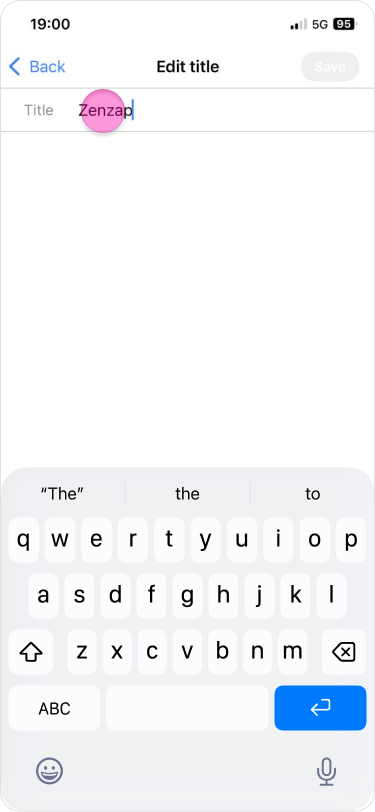
- Tap “Save”.
On Desktop (Windows & Web App)
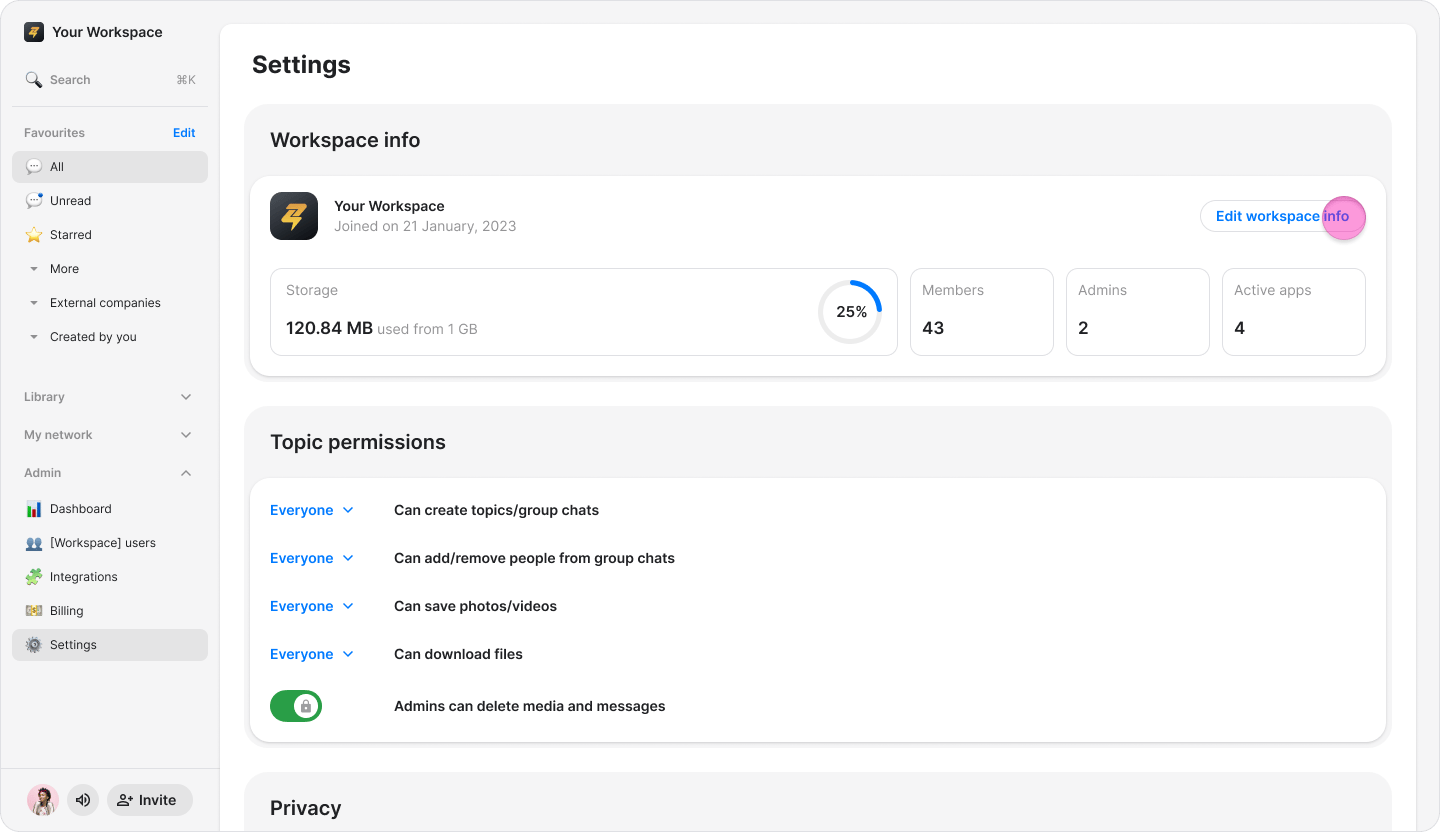
- Click your workspace name in the top-left corner.
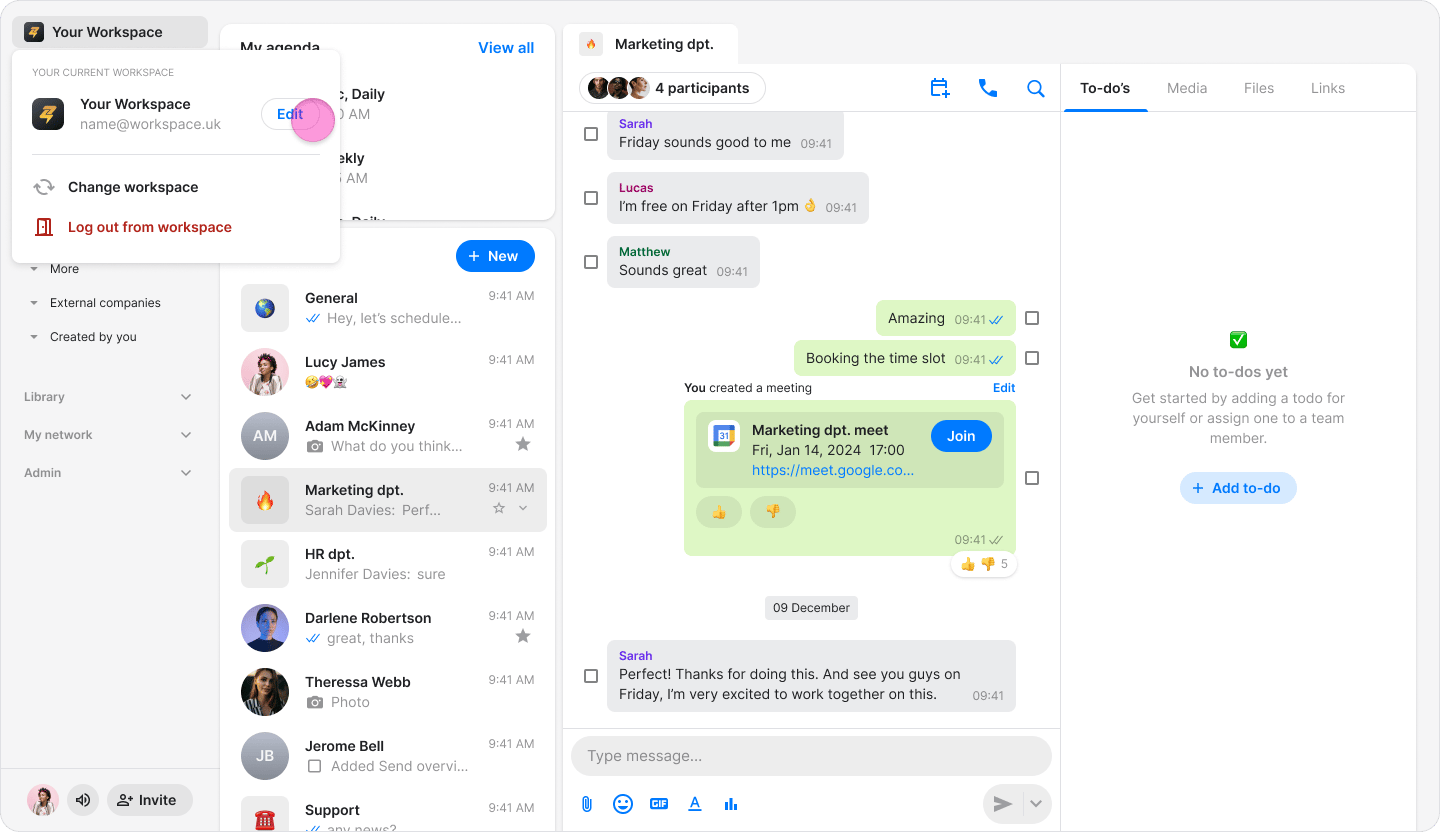
- Click “Edit workspace info” next to your current workspace name.
- Click the text field under “Workspace name” and type the new name for your workspace.
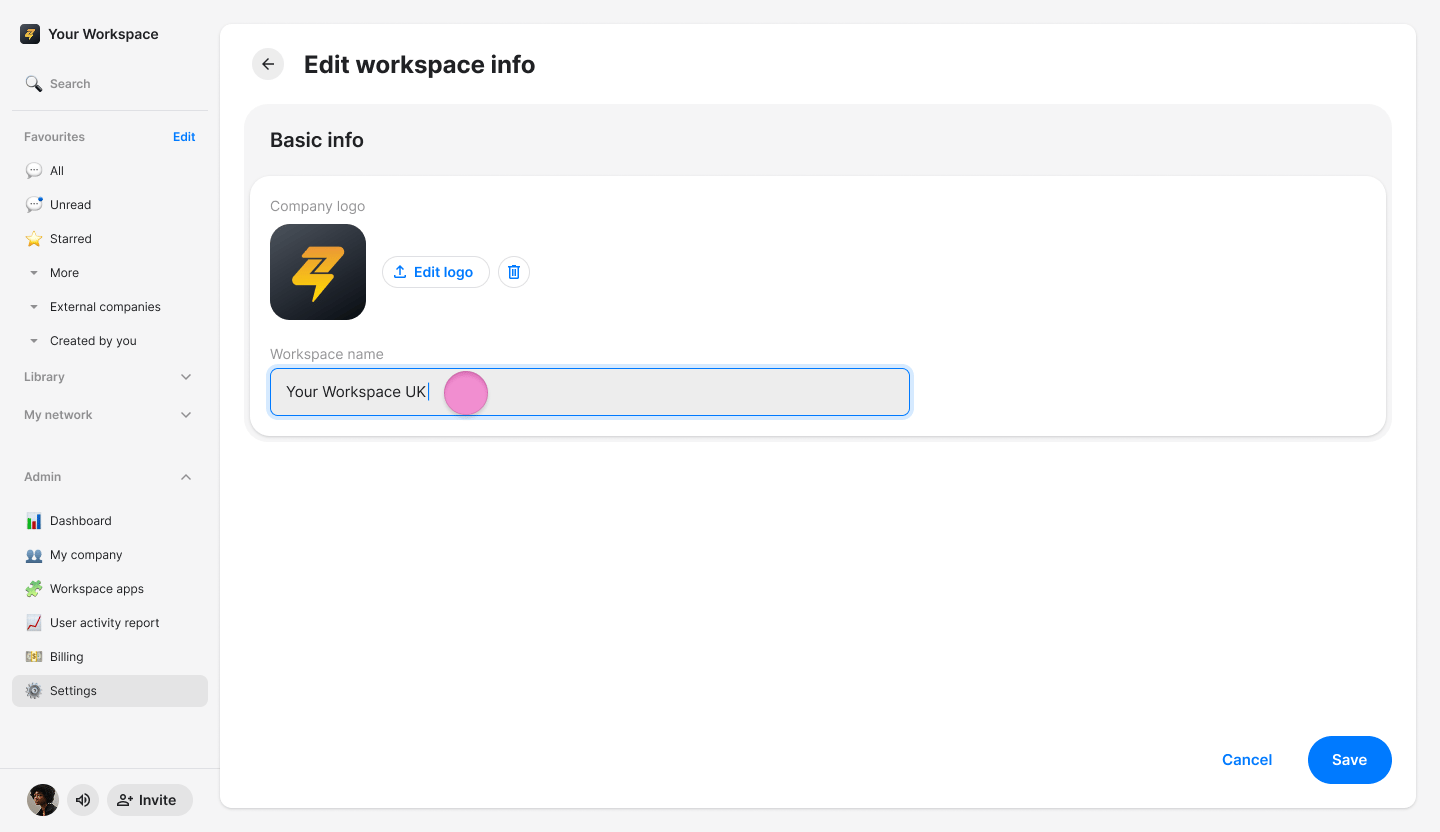
- Click “Save”.