
On Mobile (iOS & Android)
- Open any chat.
- Tap the “Circle” icon near the messages you want to create to-dos for.
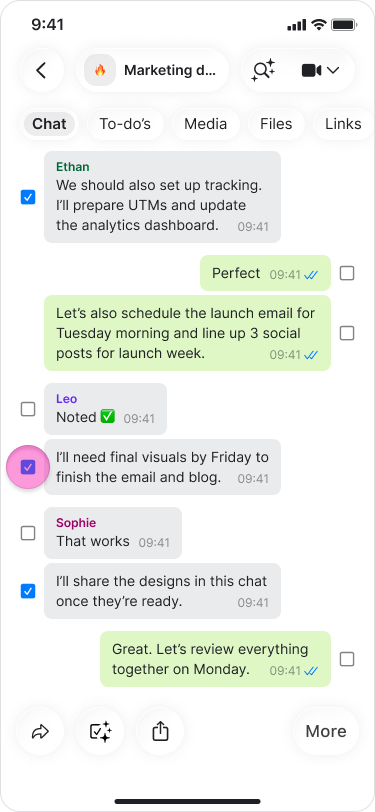
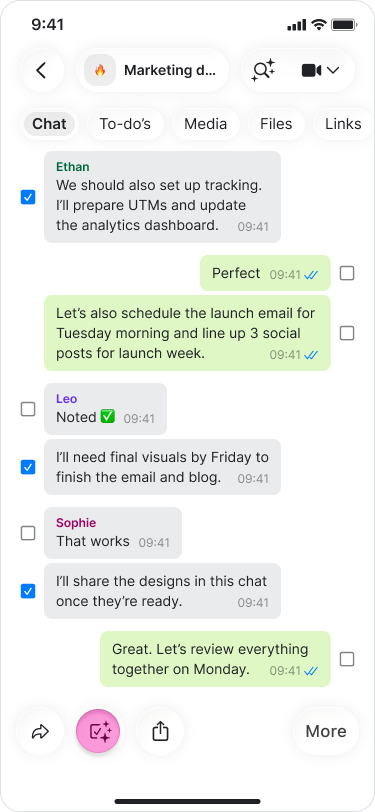
- Select “Add to-do” from the menu.
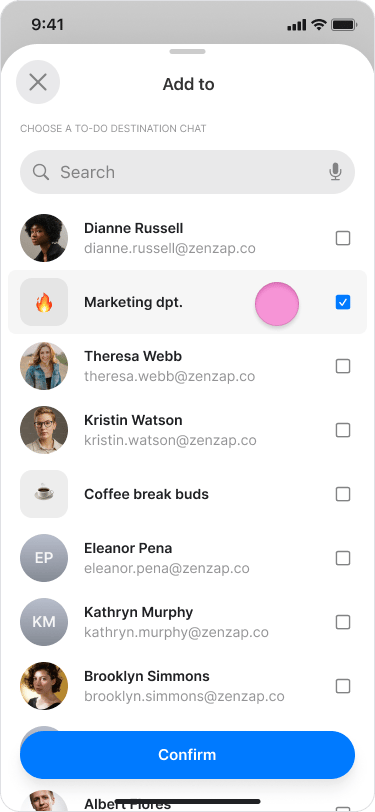
- Search and select the chat you want to send the to-dos to.
- Review the list of AI-generated tasks.
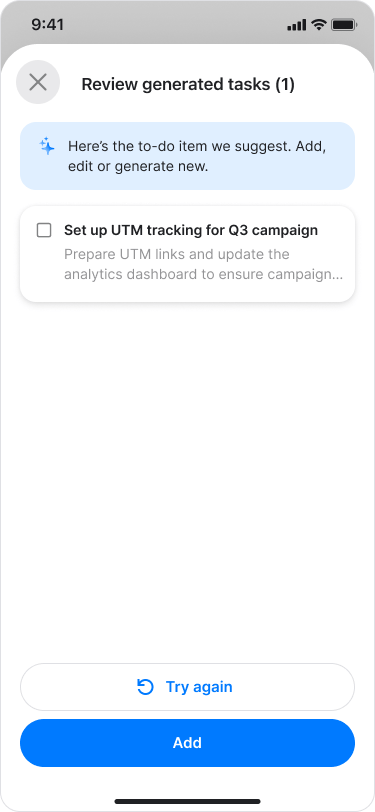
- Choose if you want to edit or delete one of the tasks.
- Tap “Save”.
On Desktop (Windows, macOS, & Web App)
- Open any chat.
- Click the “Circle” icon near the messages you want to create to-dos for.
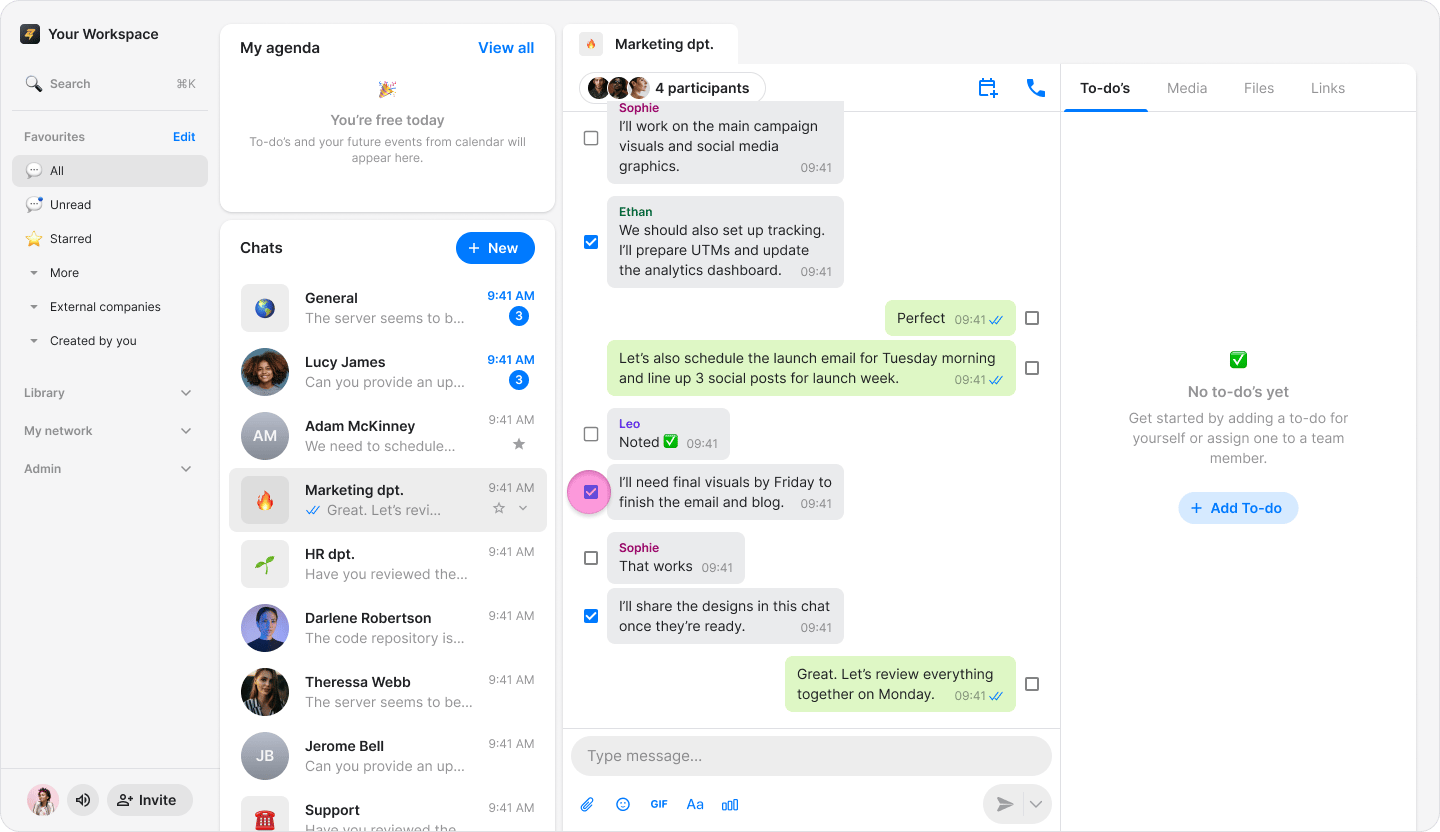
- Select “Add to-do” from the menu.
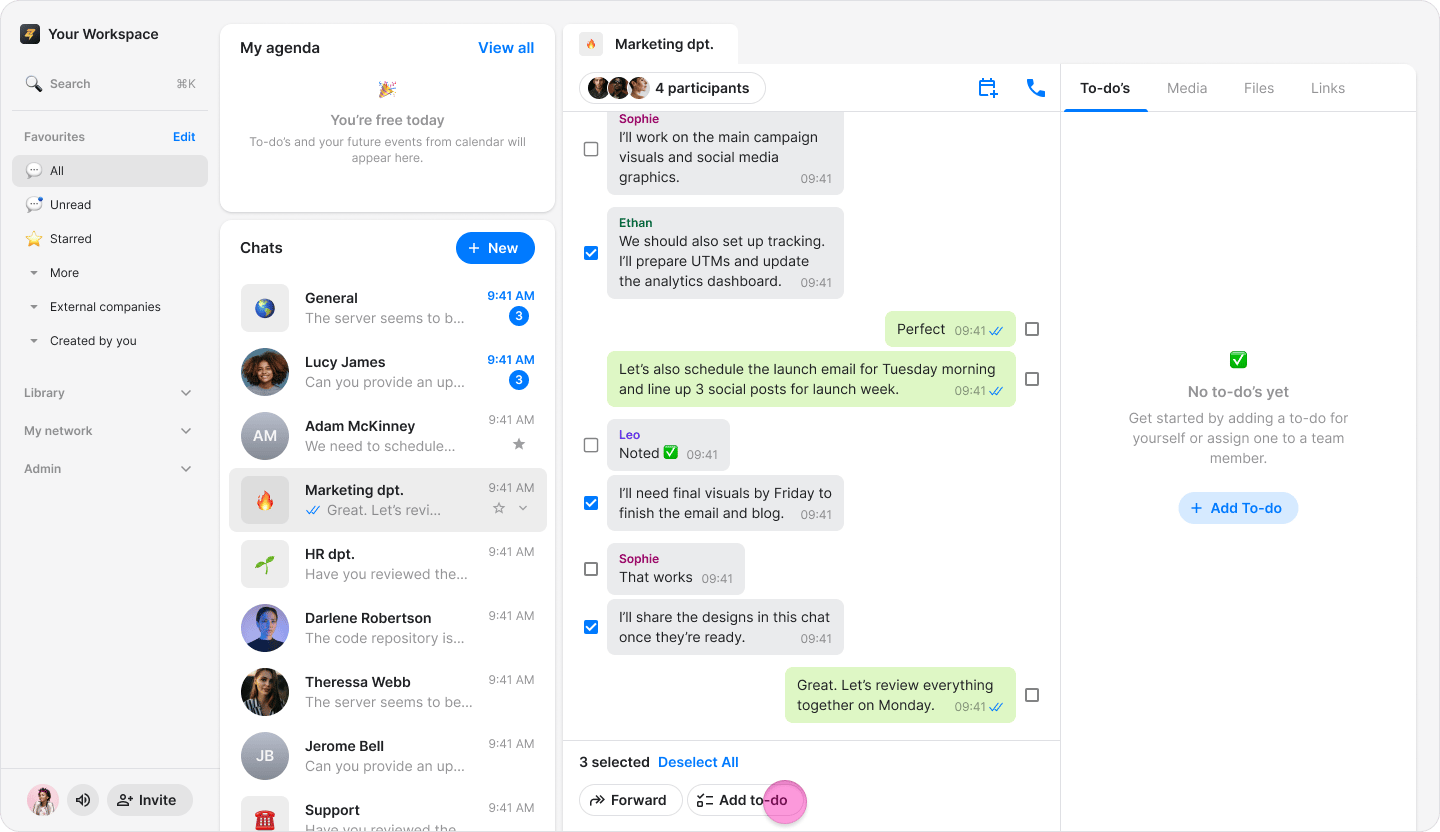
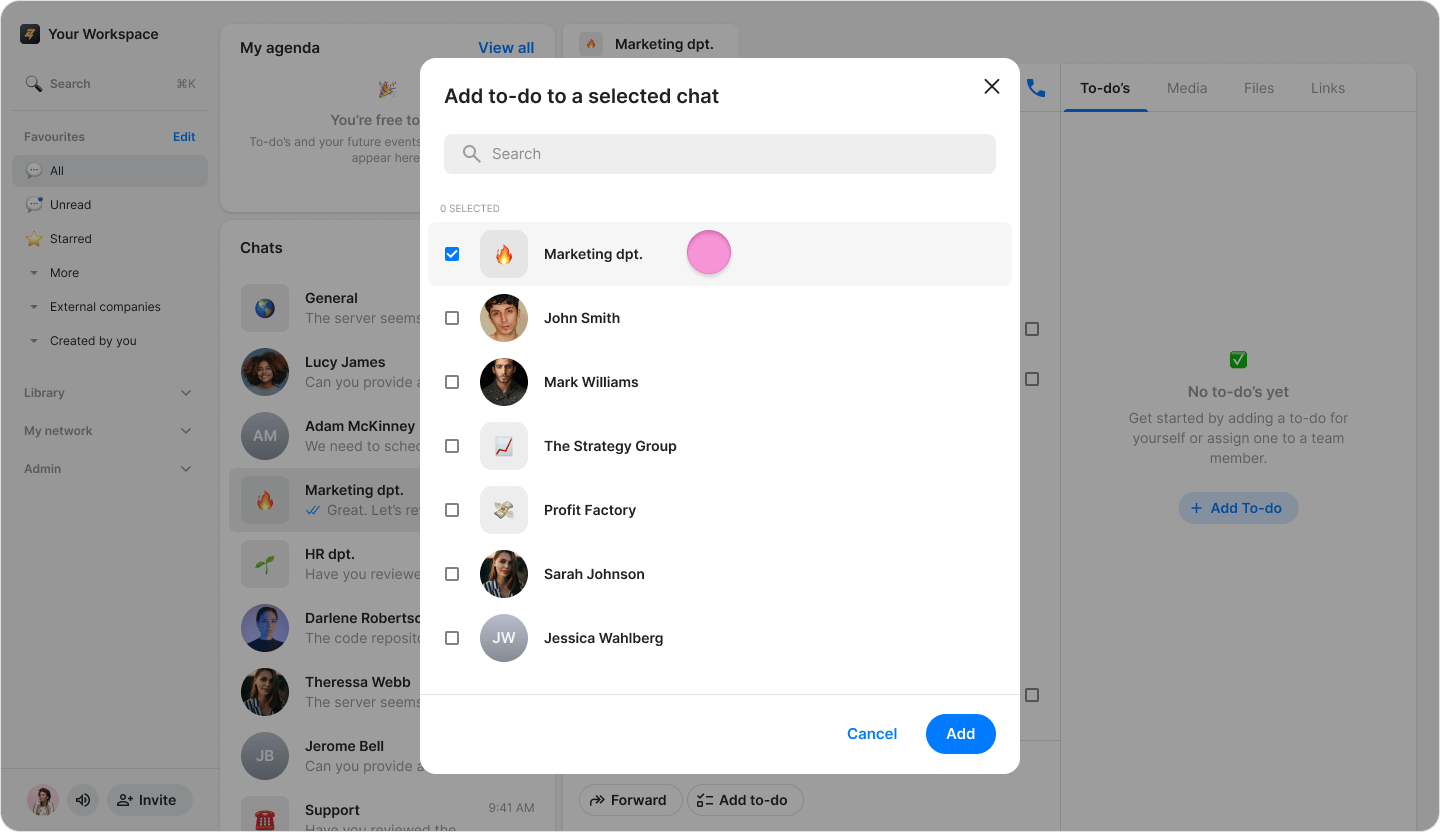
- Search and select the chat you want to send the to-dos to.
- Review the list of AI-generated tasks.
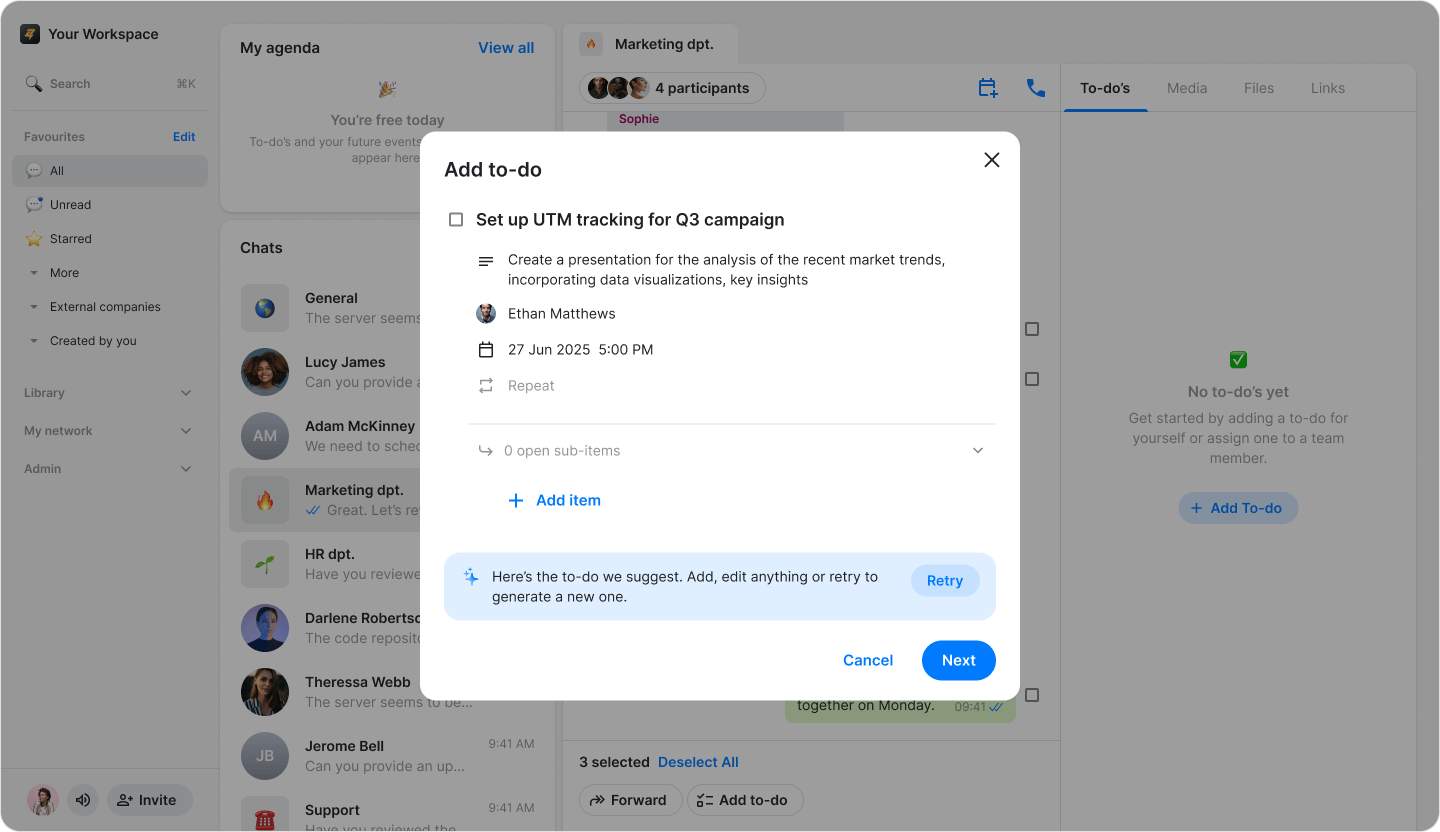
- Choose if you want to edit or delete one of the tasks.
- Click “Save”.