
On Mobile (iOS & Android)
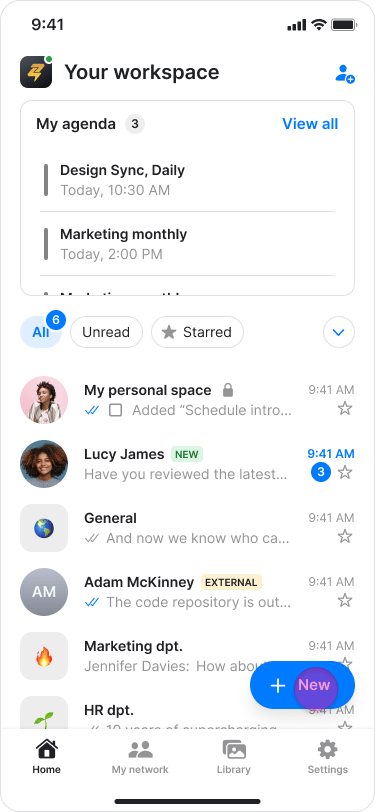
- Navigate to the home screen.
- Tap the ”+ New” button on the bottom right.
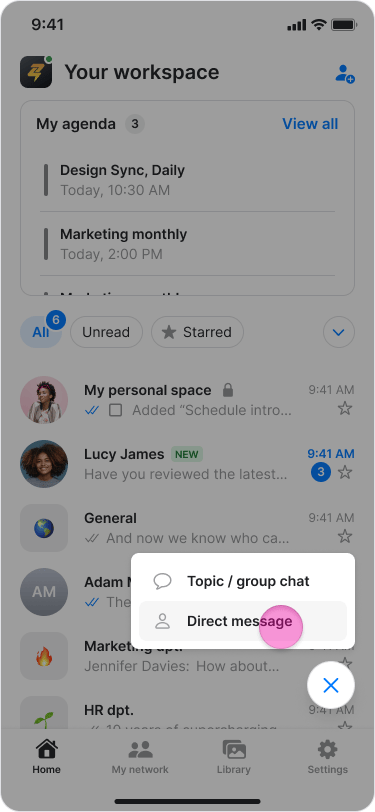
- Tap “Direct Message”.
- Select the person you want to chat with from your contacts list.
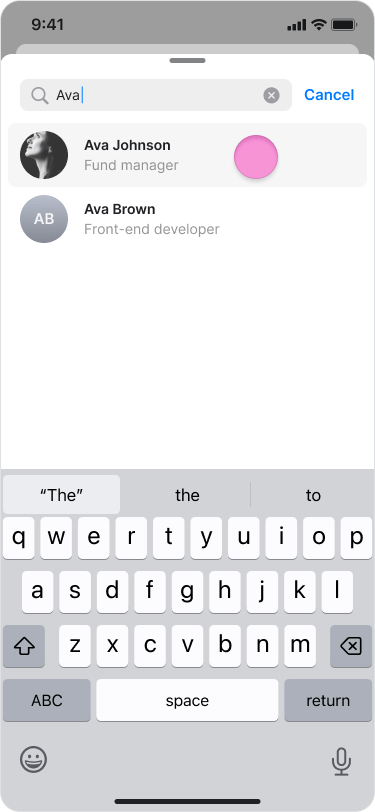
- Your contacts list includes all workspace members and external users you have previously messaged.
- To start a conversation with a new external user, please see the “Chat with an External User” guide.
On Desktop (Windows, macOS, & Web App)
- Click “Chats” in the left menu.
- Click ”+ New” at the top of your chats list.
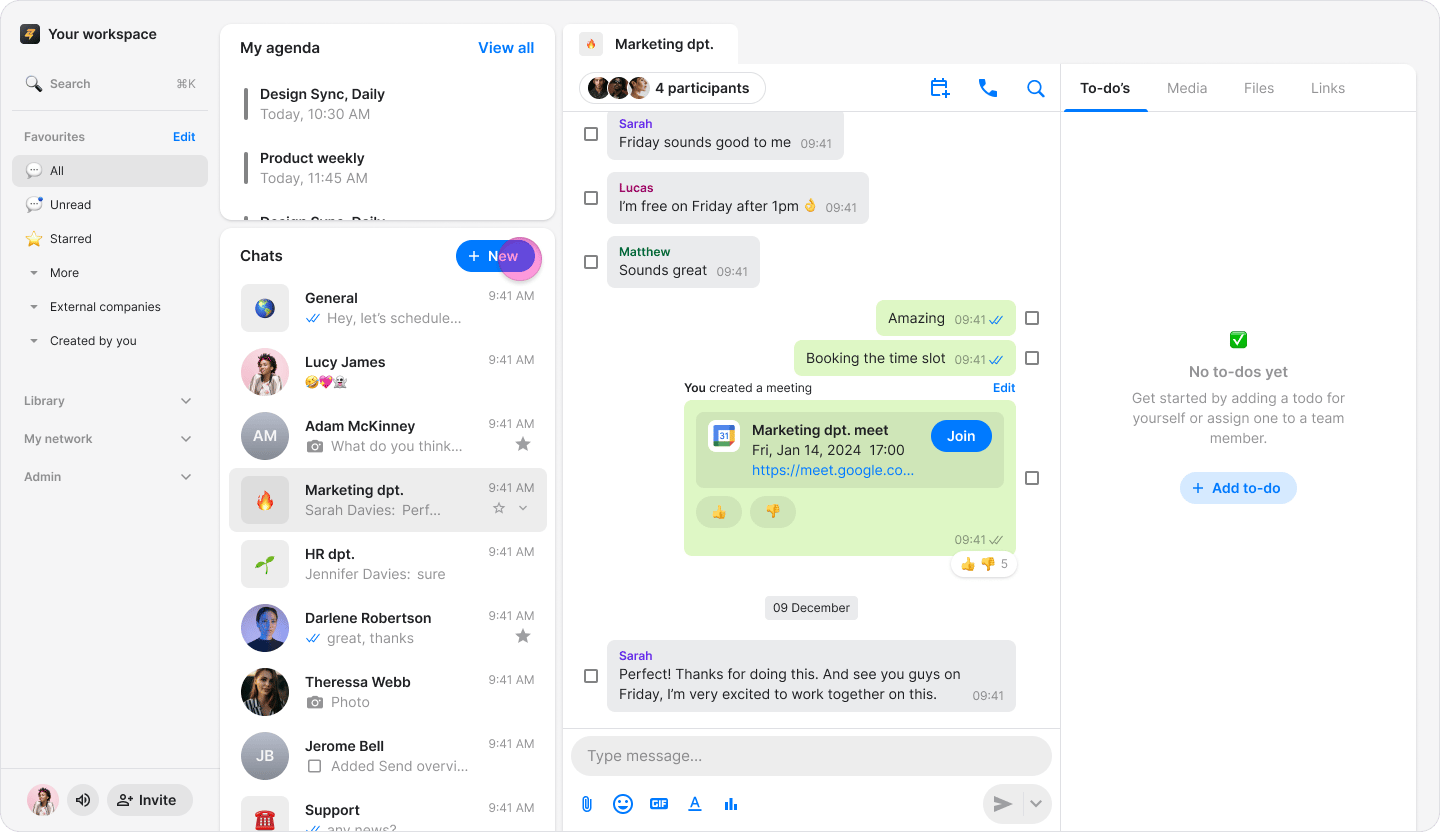
- Click “Direct Message”.
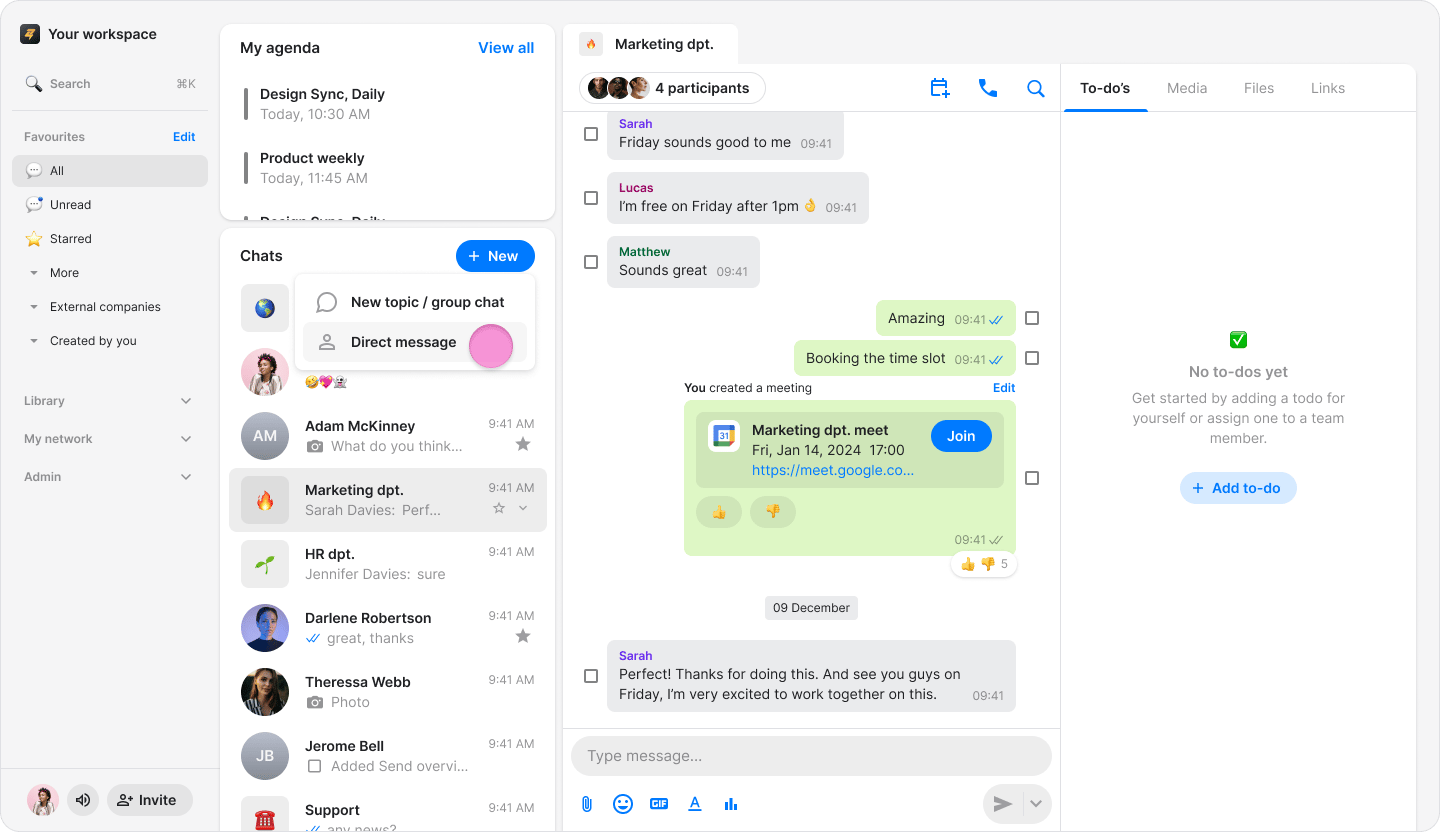
- Select the person you want to chat with from your contacts list.
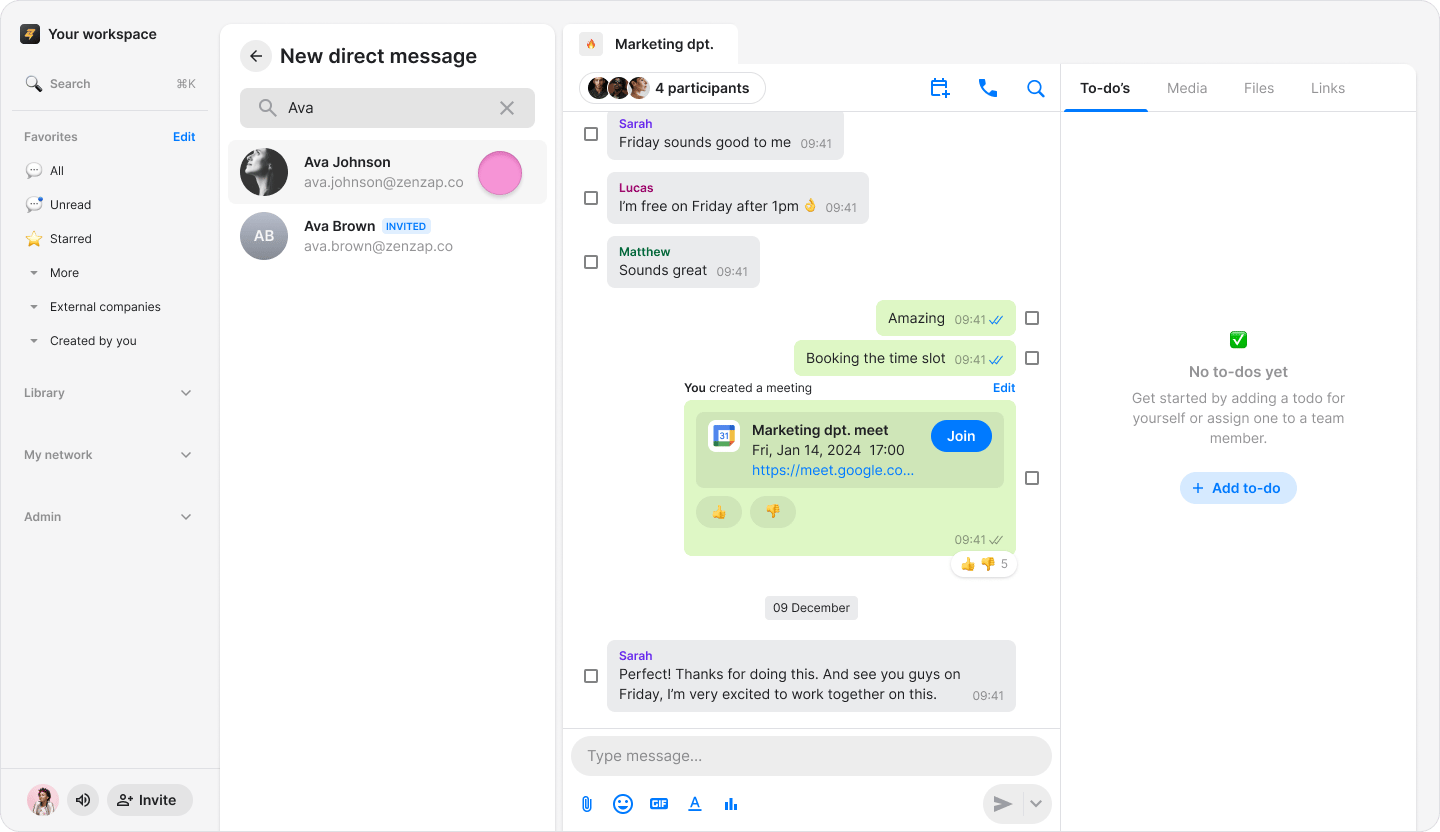
- Your contacts list includes all workspace members and external users you have previously messaged.
- To start a conversation with a new external user, please see the “Chat with and External User” guide.