On Mobile (iOS & Android)

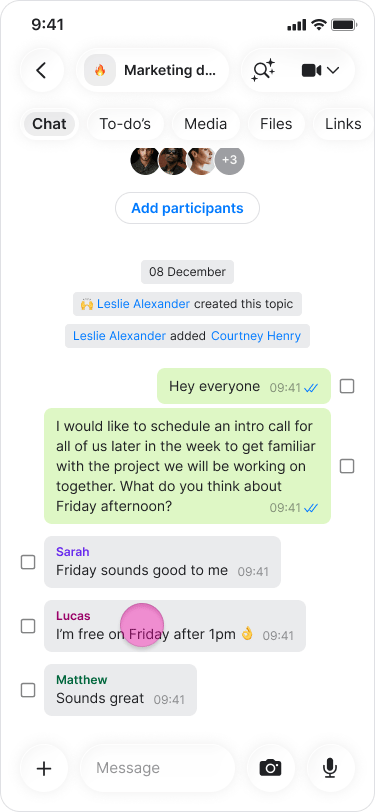
  1. Long-press on the message.
Share Messages to other Apps screenshot 1
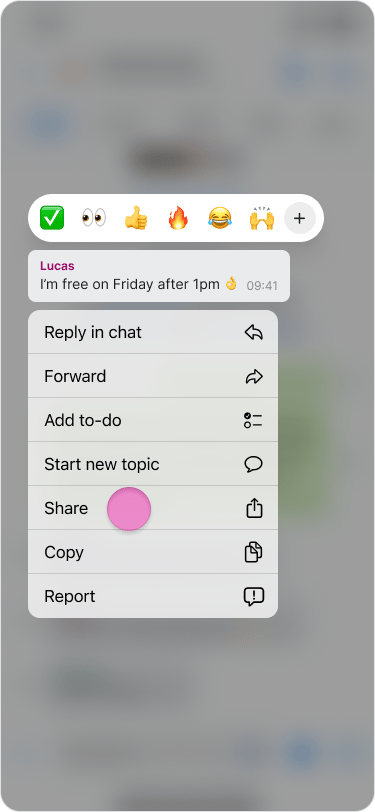
  1. Tap “Share”.
Share Messages to other Apps screenshot 2
  1. Select the app you want to share the message through
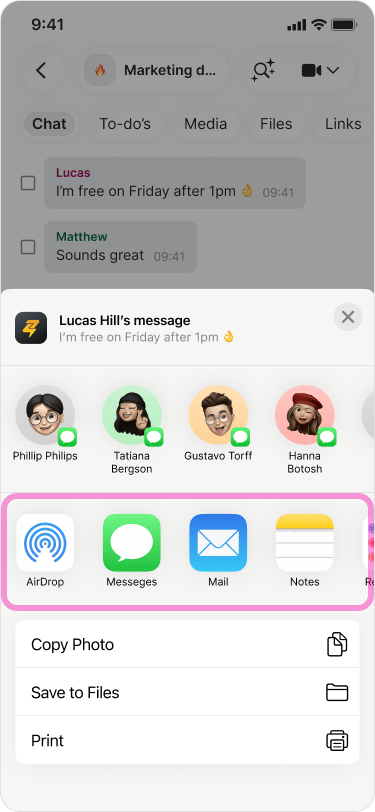
Share Messages to other Apps screenshot 3 Note: You can also select “Copy” to share text and images elsewhere.

On Desktop (macOS)

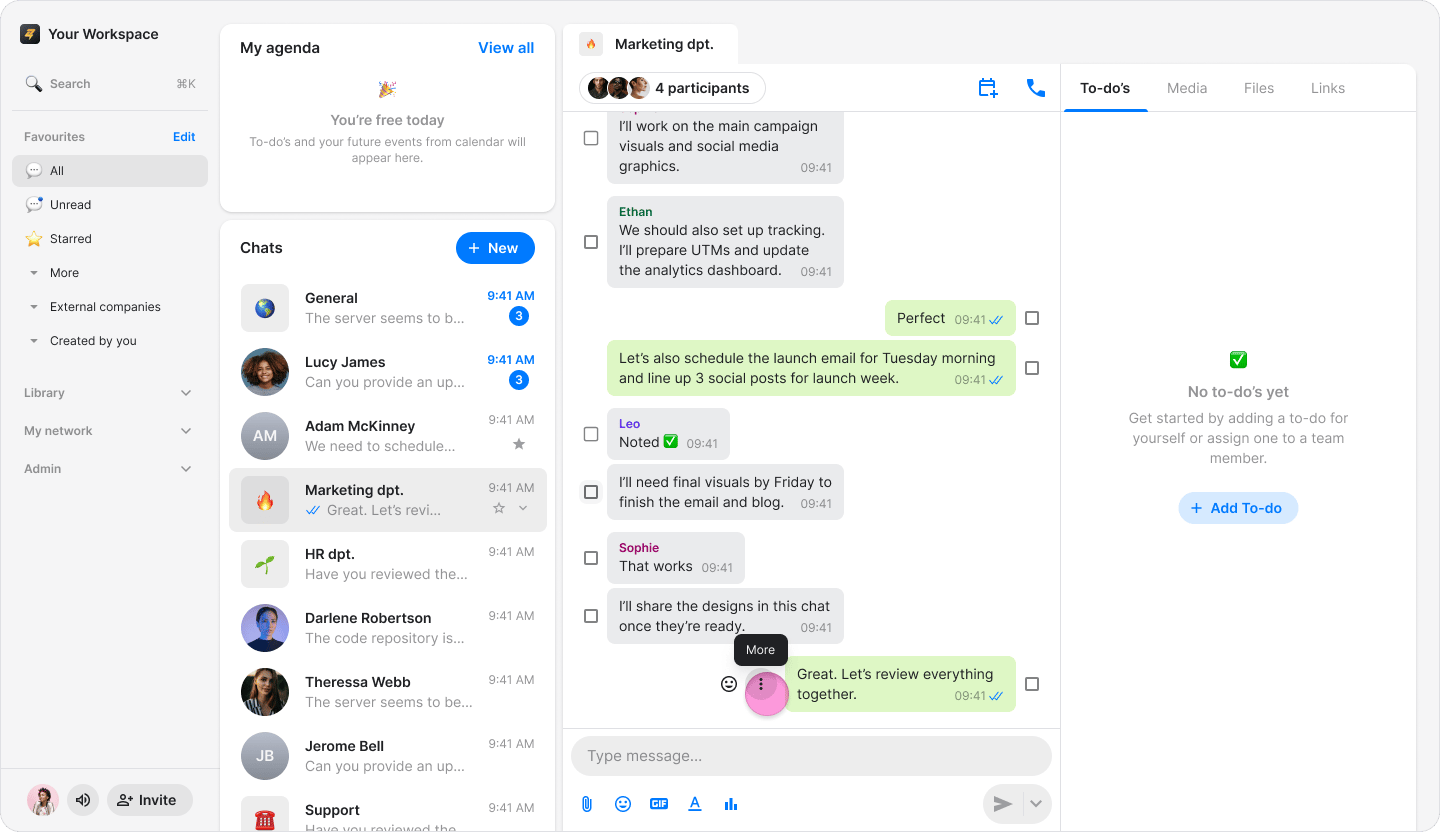
  1. Hover over the message you want to share.
  2. Click the “Three dots” icon.
Share Messages to other Apps screenshot 4
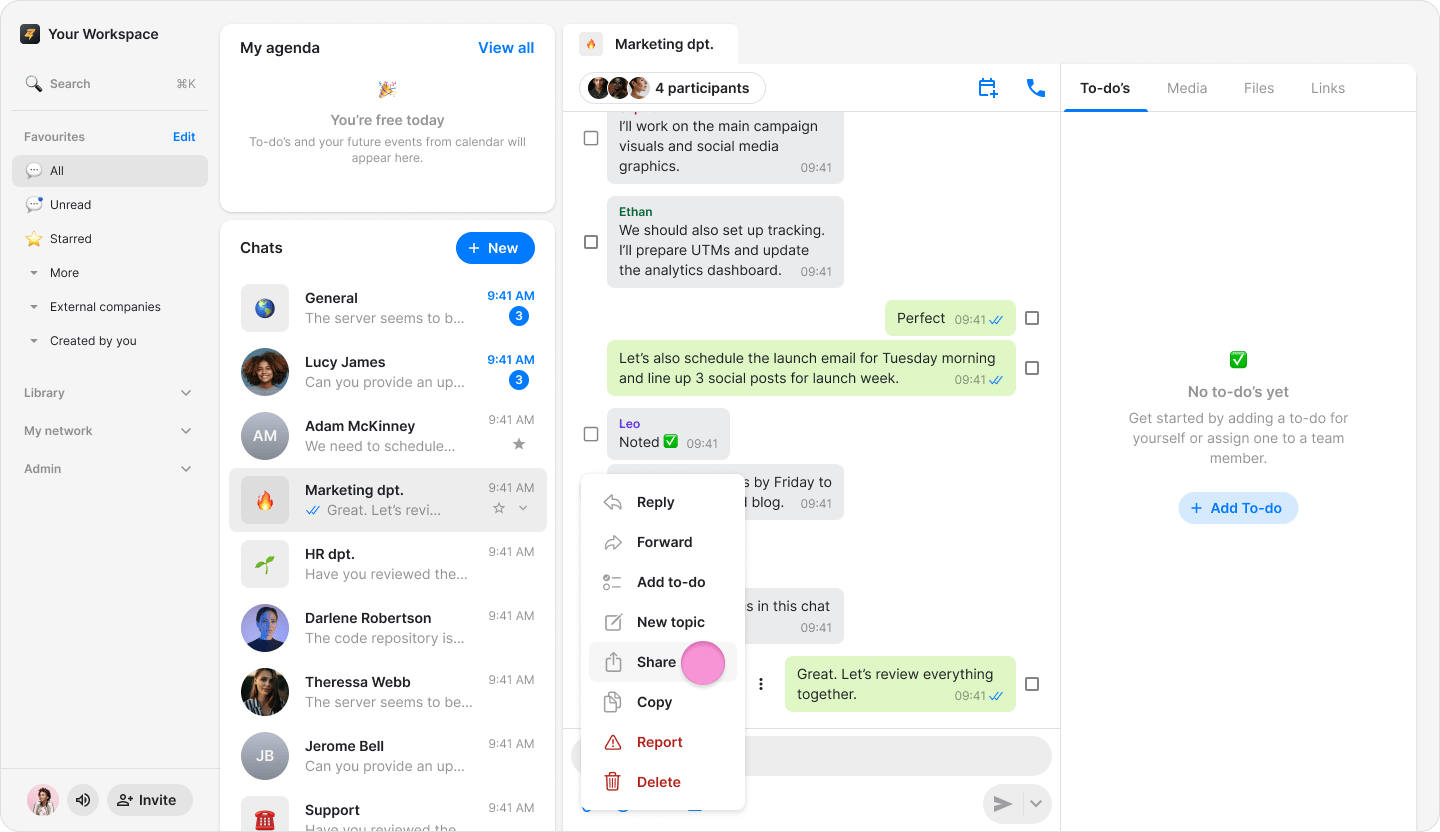
  1. Select “Share”.
Share Messages to other Apps screenshot 5
  1. Select the app you want to share the message through.
Note: You can also select “Copy” to share text and images elsewhere.